




WooCommerce does not generate PDF invoices on its own, so the document has to come from a plugin. With the free Flexible Invoices plugin you install it from the WordPress repository, fill in your company details once, and from then on you can issue a PDF invoice for any WooCommerce order, or create one by hand for an order that arrived by phone or email. Invoices are downloaded, emailed or printed from one list in the WordPress admin, next to your posts and pages. The free version covers issuing documents manually. Automatic invoicing on order status, proforma and correction documents, and EU VAT validation are what the PRO version adds. This guide covers both.
You will read how to:
- create a WordPress invoice (free plugin)
- create WooCommerce PDF invoices (free)
- see where the data on the invoice comes from
- automatically issue and send a WooCommerce PDF invoice with the PRO version
- use EU VAT validation, OSS support, and reverse charge in one plugin
- improve your invoicing with add-ons & the All Plugins Bundle
- frequently asked questions
What Is a WooCommerce Invoice?
A WooCommerce invoice is a PDF document generated from a WooCommerce order that includes customer details, product data, taxes, totals, and payment information. It can be downloaded, emailed automatically, or printed. WooCommerce itself doesn’t include PDF invoicing, so you need a plugin to generate WooCommerce invoices.
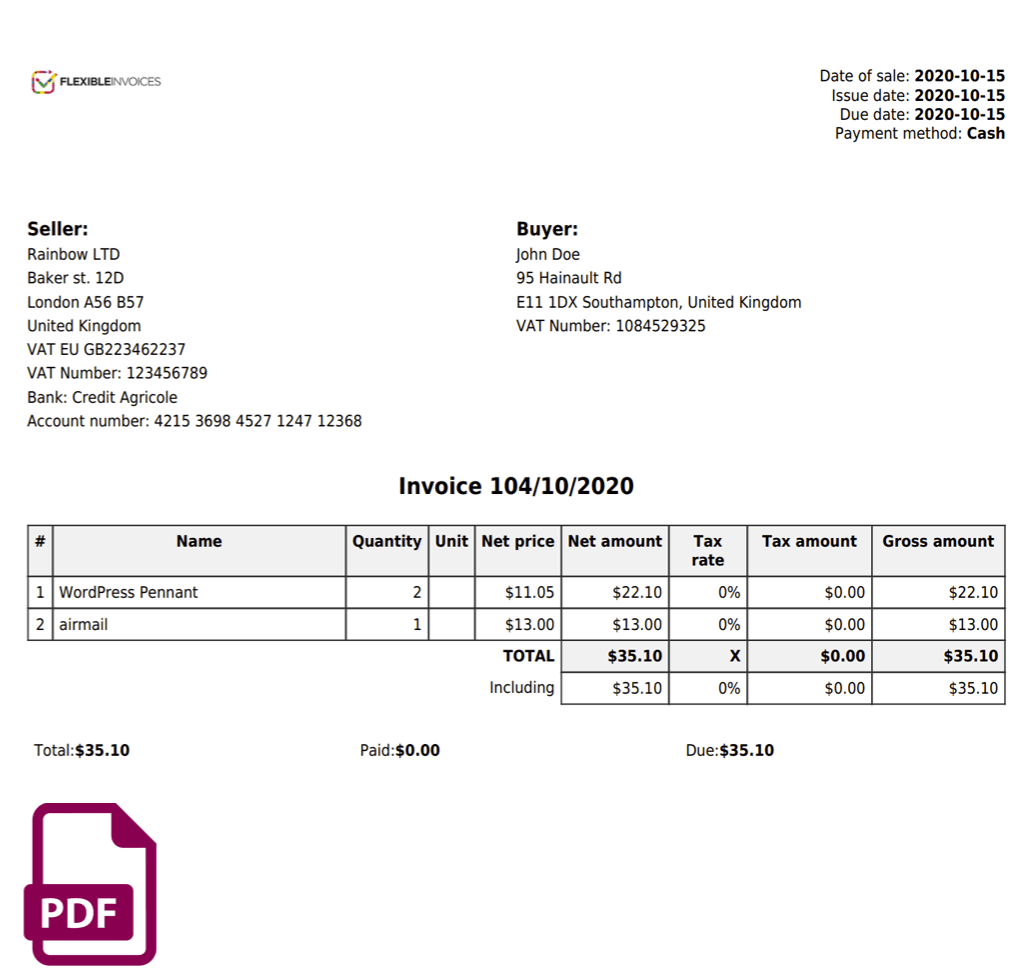
What has to appear on it depends on where you sell, and the rules differ enough between countries that your accountant is the authority, not a plugin. What is common to almost every jurisdiction is a unique document number from a continuous series, the issue date and the sale date, full details of both parties, the line items with their tax rates, and the totals split into net, tax and gross. Everything on that list comes from data WooCommerce already holds, which is why invoicing can be automated at all.
Use a free WordPress plugin for invoicing
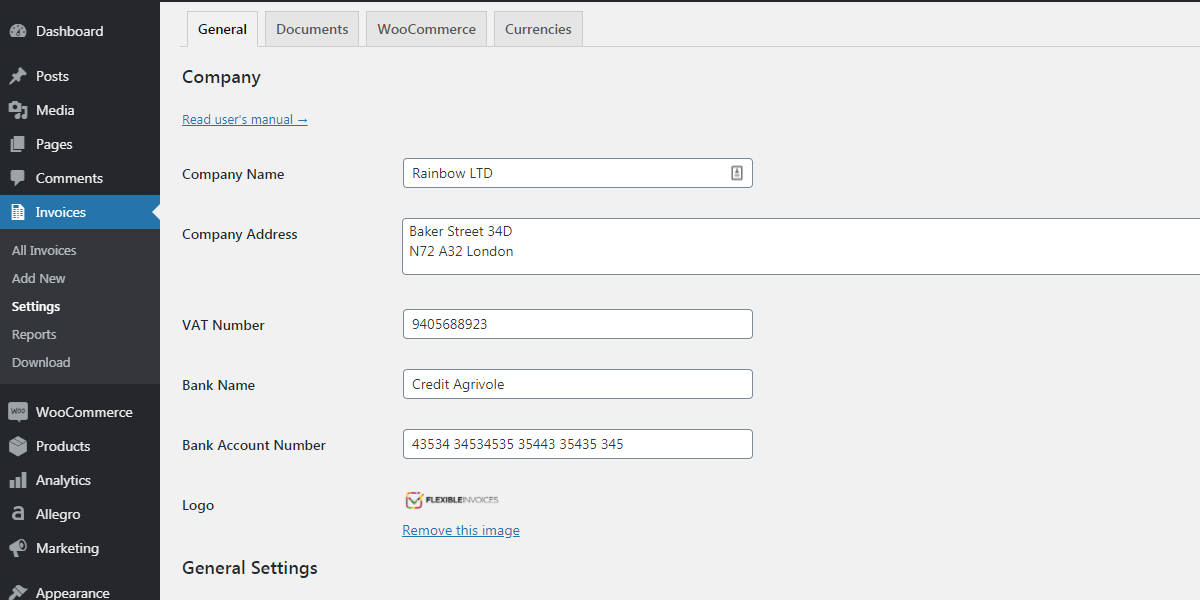
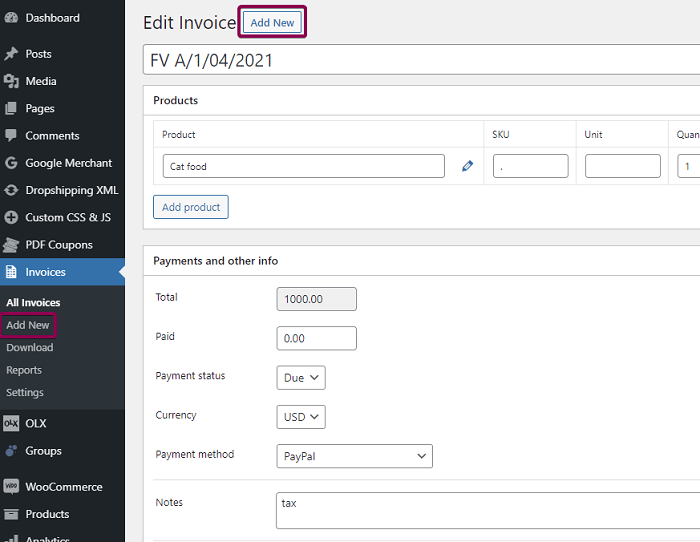
The free Flexible Invoices plugin lets you generate a PDF invoice directly in your WordPress admin area, with or without a store attached. If your orders arrive through a contact form, by phone or by email, this is all you need.
Create a WordPress invoice
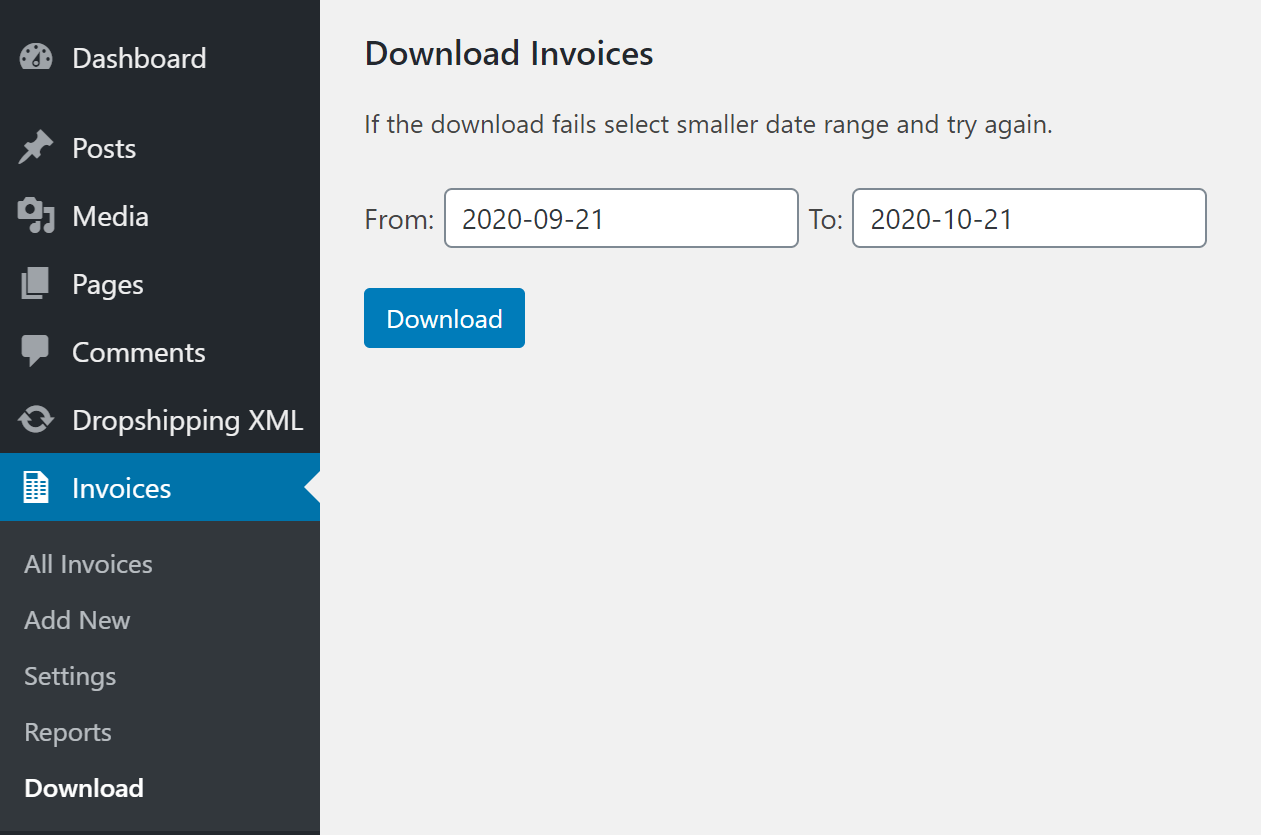
The process is the same every time. You enter the buyer’s details, the products or services, and the tax rates. You download the PDF, one document or several in bulk. Then you send it to the customer or print it.
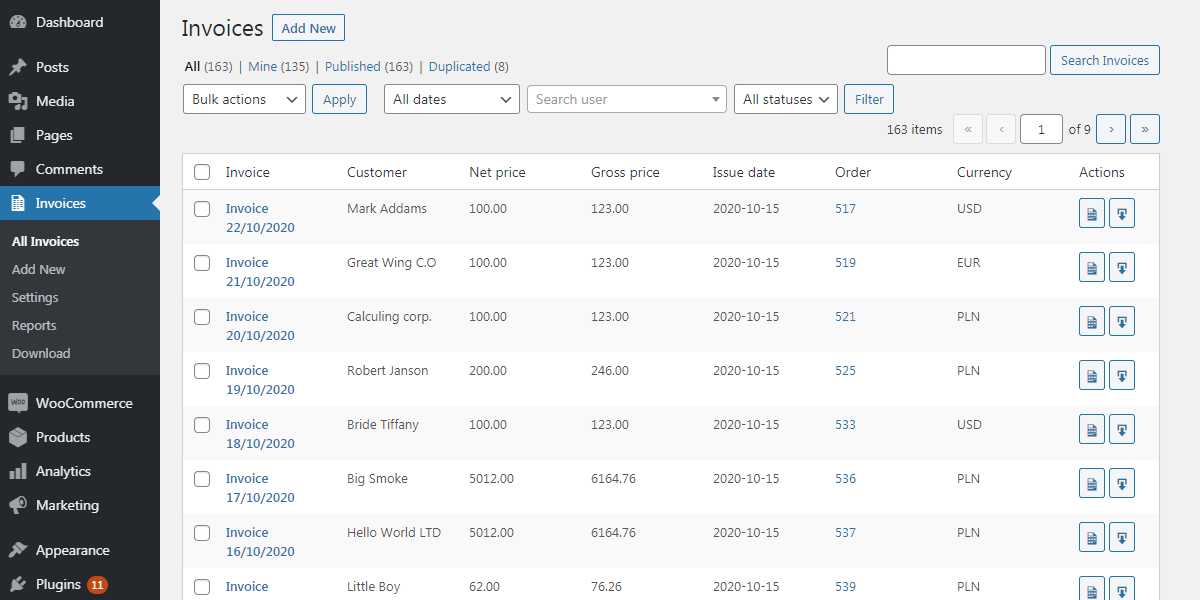
All invoices sit in the WordPress admin next to your posts and pages, so there is no second system to log into and no spreadsheet tracking which number you used last.
PDF Invoice in WooCommerce with a free plugin
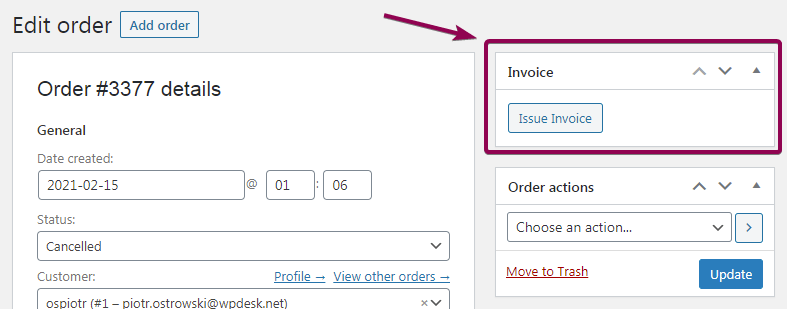
Once the site is a store, the same free plugin invoices the orders. You do not install anything else: Flexible Invoices detects WooCommerce and adds an invoice action to the order screen.
To issue an invoice for an order:
- Go to WooCommerce > Orders and open the order.
- Use the invoice action to issue the document. The plugin fills it from the order.
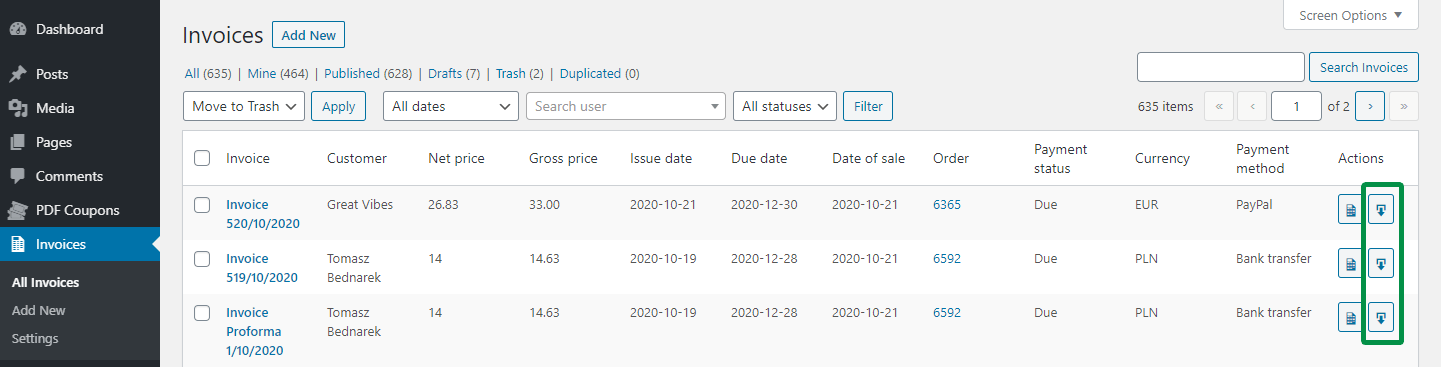
- Download the PDF, email it to the customer, or print it from the invoice list.
The plugin handles a standard order, a manual order created in the admin, and an order paid through checkout, so phone orders and online orders end up in the same numbered series.
See how to generate a PDF invoice in WordPress and WooCommerce with our plugin:
Where the data on the invoice comes from
The invoice is built from the order, not from the customer account. Billing address, company name, tax number, phone, payment method and payment status all come from what was entered at checkout.
This matters more than it sounds. WP Desk telemetry from 19,803 WooCommerce stores, collected in August 2026, shows 86.2% of orders placed as guests. For most stores, the checkout form is the only chance to collect the data the invoice needs. If a field is not on the checkout, it will not be on the document, and somebody will be emailing the customer to ask for their tax number afterwards.
For the customers who still prefer to phone, you issue invoices manually and they join the same list. Every document, from an order or created by hand, stays ready to edit, download, email and print.
Read more about WooCommerce phone orders & how to invoice them.
A custom PDF WooCommerce invoice template
You can edit the PDF invoice template. The free version lets you adjust the invoice template; the PRO version lets you customize three document types. You can:
- change the invoice fonts
- change the invoice language (the plugin is also compatible with WPML)
- add a payment link to the invoice
- add meta fields from WooCommerce orders or any annotation you need
- add extra information to the invoice notes for a WordPress invoice issued outside WooCommerce orders
When manual invoicing stops being enough
Three invoices a day is a few minutes of work. Twenty is somebody’s morning, every morning, and it is the kind of task that gets skipped when the week is busy and then has to be caught up at month end.
That is the point at which automatic invoicing pays for itself. The invoice is generated for the order statuses you choose and emailed to the customer without anyone opening the order.
Flexible Invoices for WooCommerce PRO £59
Do you need automatic PDF invoices in WooCommerce?
Are you going or already selling to the EU?
The best WordPress & WooCommerce invoice plugin with automatic PDF invoices. Built-in EU VAT number validation, many features, add-ons, and great support!
Add to cart or View DetailsAutomatic PDF invoices for WooCommerce orders
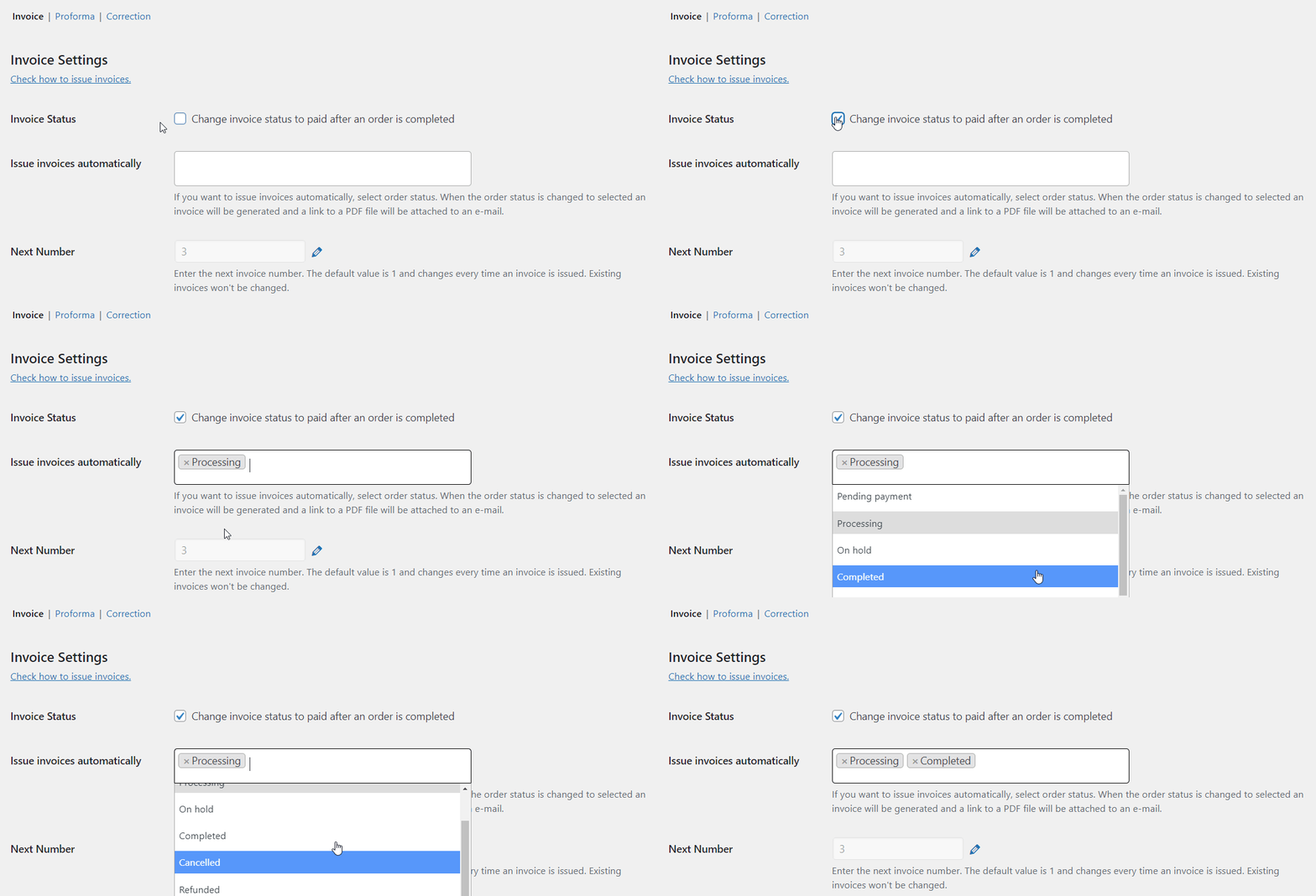
Which status to tie it to is the one decision worth thinking about. Processing is the usual choice, because the money has arrived. Completed suits stores that invoice on dispatch. Issuing at Pending payment produces documents for orders that were never paid, which then need correcting.
Read more about automatic invoicing in WooCommerce, and see how it works:
You can also customize the invoice emails. See WooCommerce email settings and how to send a PDF invoice automatically.
Proforma, invoice, and correction: 3 kinds of WooCommerce invoices
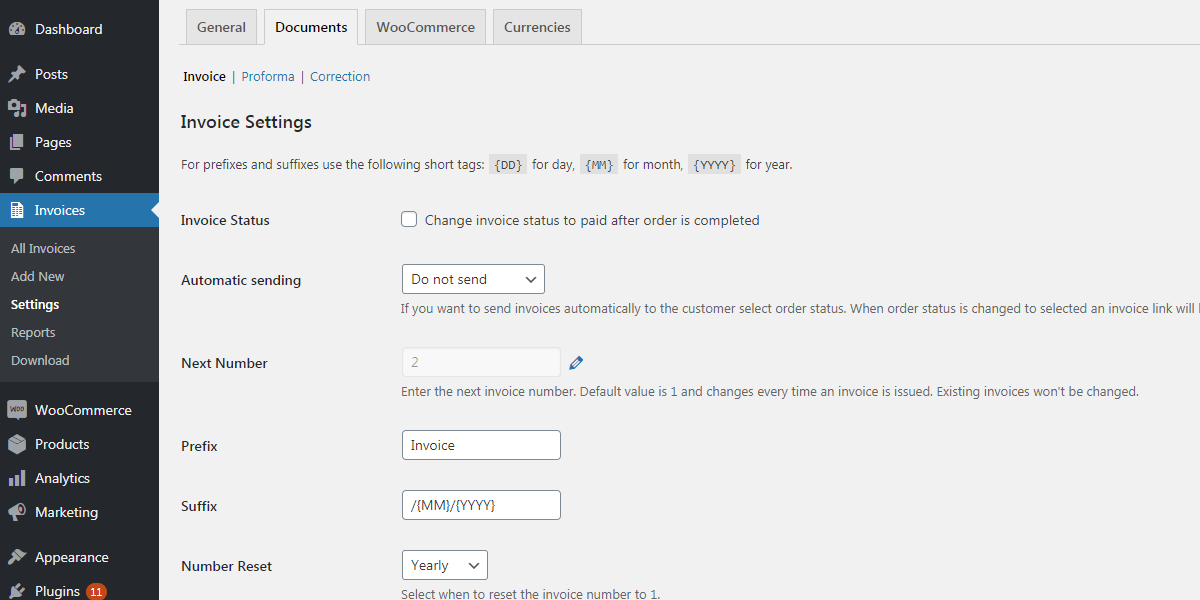
PRO adds 3 types of documents: proforma invoices issued before payment, standard invoices, and corrections for WooCommerce refunds, all automatically.
The correction document is the one stores discover they need the first time they refund an order. An invoice that has been issued cannot simply be deleted or edited, because the number is part of a continuous series. A correction is the document that cancels it properly.
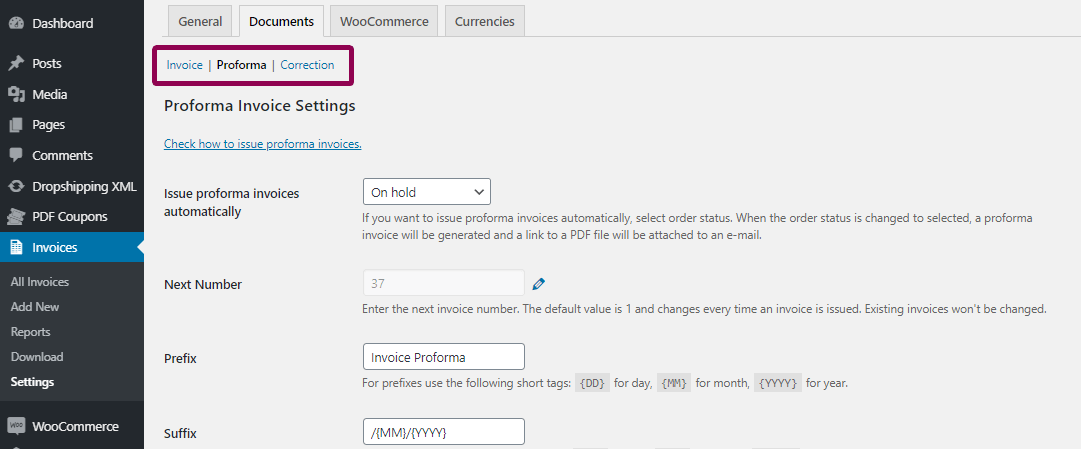
Each type has its own PDF template.
EU VAT number validation, OSS support, and reverse charge in one plugin
Flexible Invoices PRO is built for EU rules, so selling across the EU does not mean stacking a second and third plugin on top.
The plugin will:
- check the EU VAT number for OSS and reverse charge invoices automatically
- make sure the correct VAT is applied, or not applied, based on validation against the EU VIES database
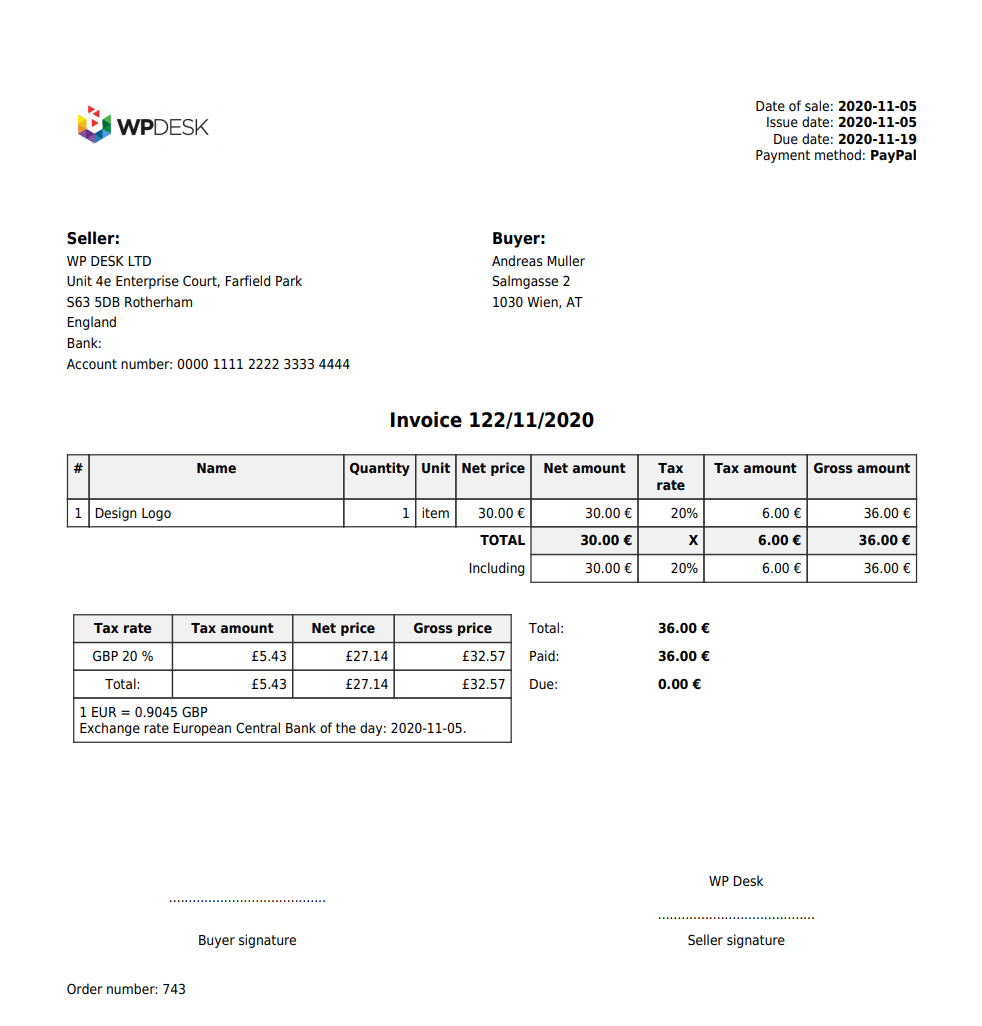
- issue currency invoices with an exchange table on the document
- take conversion rates from the European Central Bank automatically
- add the reverse charge annotation to the document notes for B2B sales
Worth knowing before you rely on it: validation queries VIES, which is the European Commission’s service, so it depends on a system outside your store. Individual member states’ databases go offline independently of each other, so decide in advance whether a failed lookup should block the order or let it through for manual review.
See the example of PDF invoices for OSS, reverse charge, and settings for EU sales
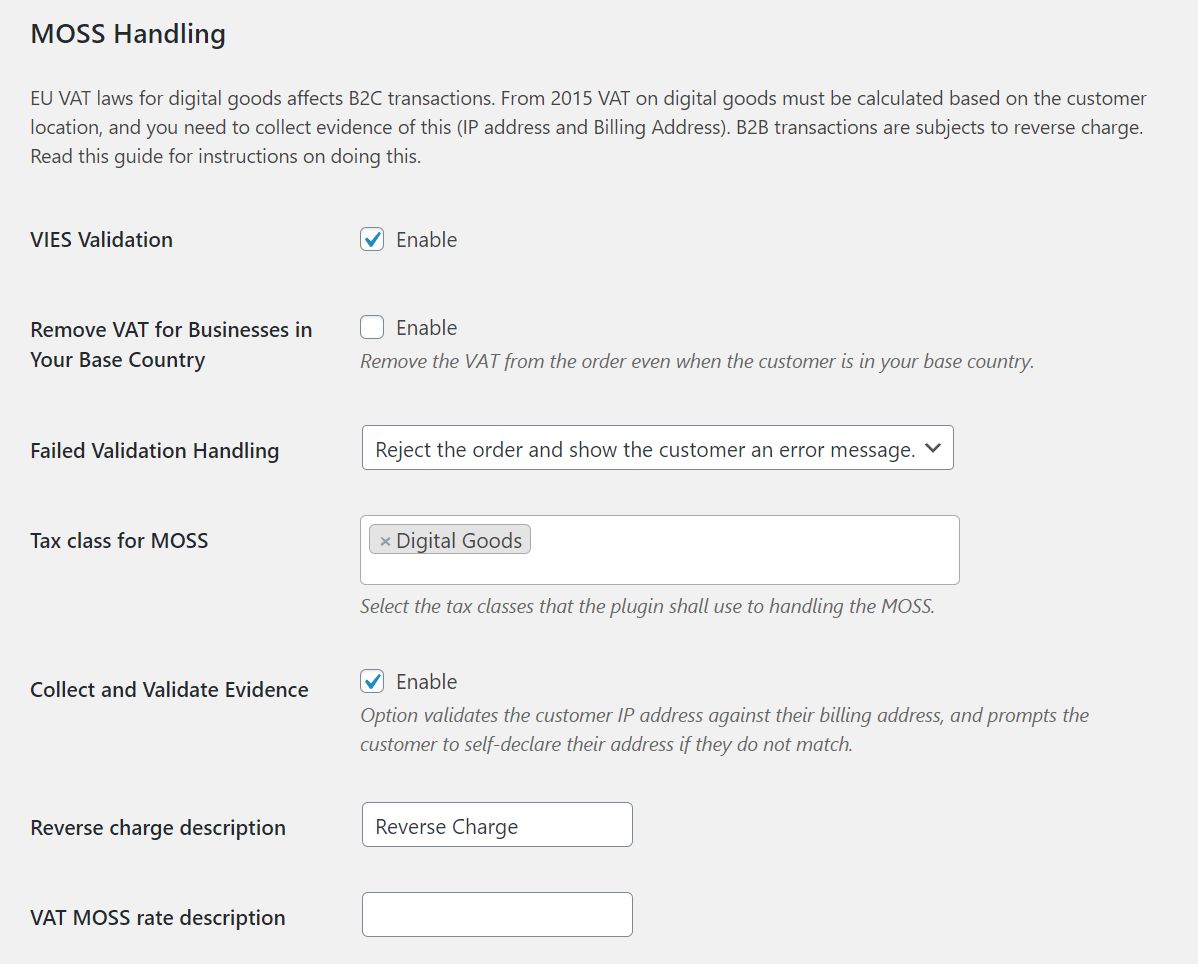
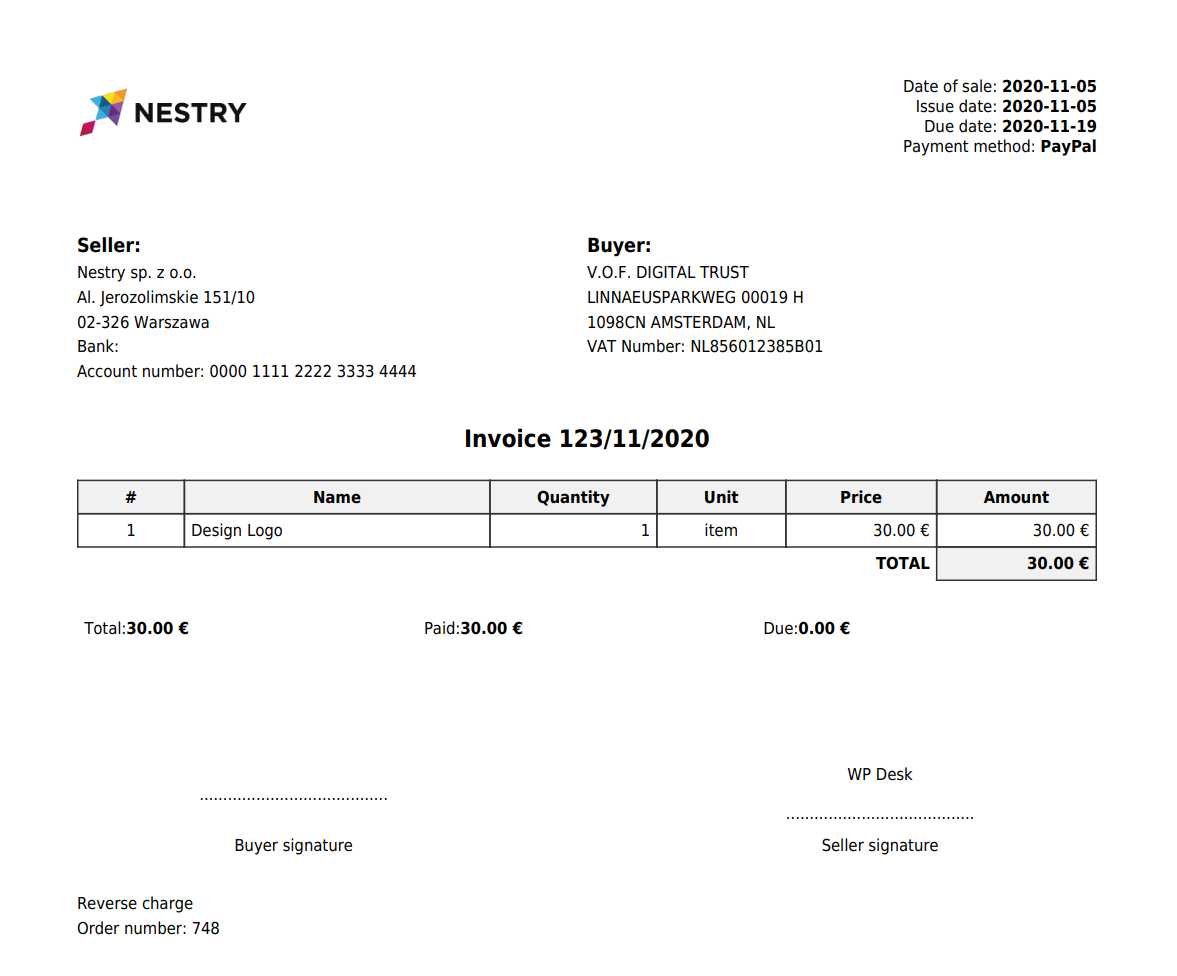
If you want to know more about WooCommerce taxes, see the links at the end of this article.
Invoicing in other languages
The plugin is translated into English, French, Spanish, Italian, Polish and Dutch, and supports WPML. On a multilingual store that means the document itself follows the customer’s language, not the admin’s, so a French buyer receives a facture and a Polish one a faktura from the same store.
Read a quick guide on how to issue and download WooCommerce invoices.
Compare free and PRO versions of the plugin
| Flexible Invoices free vs PRO | free | PRO |
|---|---|---|
General | ||
| Generate documents automatically | ||
| Send invoice automatically by e-mail | ||
| Send invoice manually by e-mail | ||
| Issue PDF invoices | ||
| Basic reports | ||
| Variations support | ||
| Batch PDF download | ||
Documents | ||
| Proforma invoices | ||
| Correction invoices | ||
Checkout & My Account | ||
| Access invoices from My Account | ||
| Ask the customer if he wants an invoice | ||
| Add VAT Number filed to checkout | ||
Customizing | ||
| Hiding VAT columns | ||
| Hiding seller VAT Number | ||
| Company logo on the invoice | ||
| Sequential order number | ||
| Reset next invoice number | ||
| Seller signature | ||
| Currency exchange table | ||
| Payment link on the invoice | ||
| Hide free items | ||
EU VAT | ||
| EU VAT Number validation | ||
| OSS handling (formerly MOSS) | ||
| Download Free | Buy PRO |
Add-ons and the All Plugins Bundle
Four add-ons for Flexible PDF Invoices extend the PRO version, each solving a different bottleneck.
Advanced Reports
Advanced Reports creates HTML and CSV reports from selected invoices, date ranges and columns. This is the add-on for the monthly handover to accounting.
Advanced Filters
Advanced Filters narrows the document list by type, country of purchase, date range, currency, price range, tax rate or payment method. The more invoices you have issued, the more this matters.

Read the post about the Advanced Filters add-on.
Advanced Sending
Advanced Sending sends invoices and reports by email daily, weekly or monthly, to addresses you set. Point it at your accountant and the monthly email stops being a task anyone has to remember. You can customize both message types and attach the invoices as PDFs.
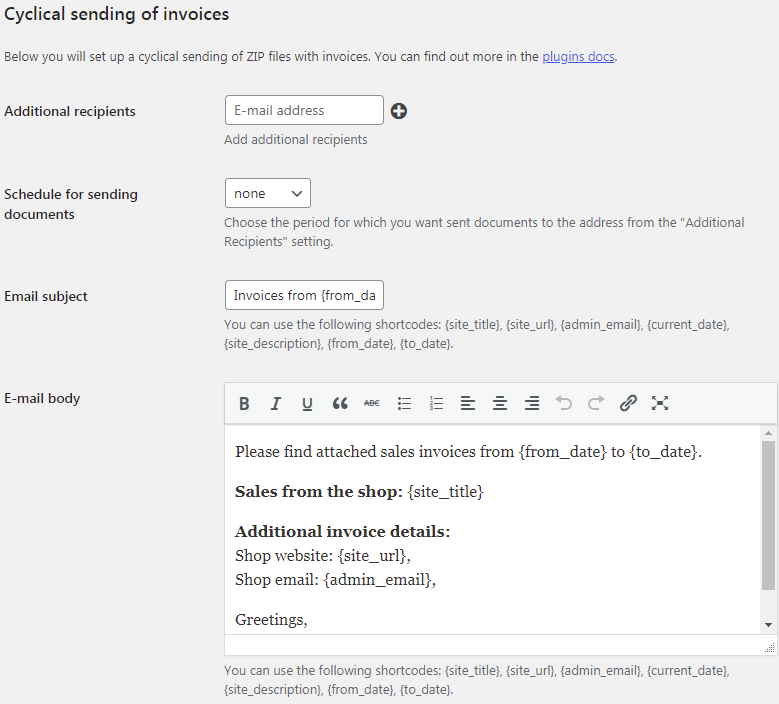
Read more in the article about the Advanced Sending add-on.
Advanced Templates
Advanced Templates controls the layout, colors and fonts of your documents, so the invoice looks like it came from your store rather than from a plugin.
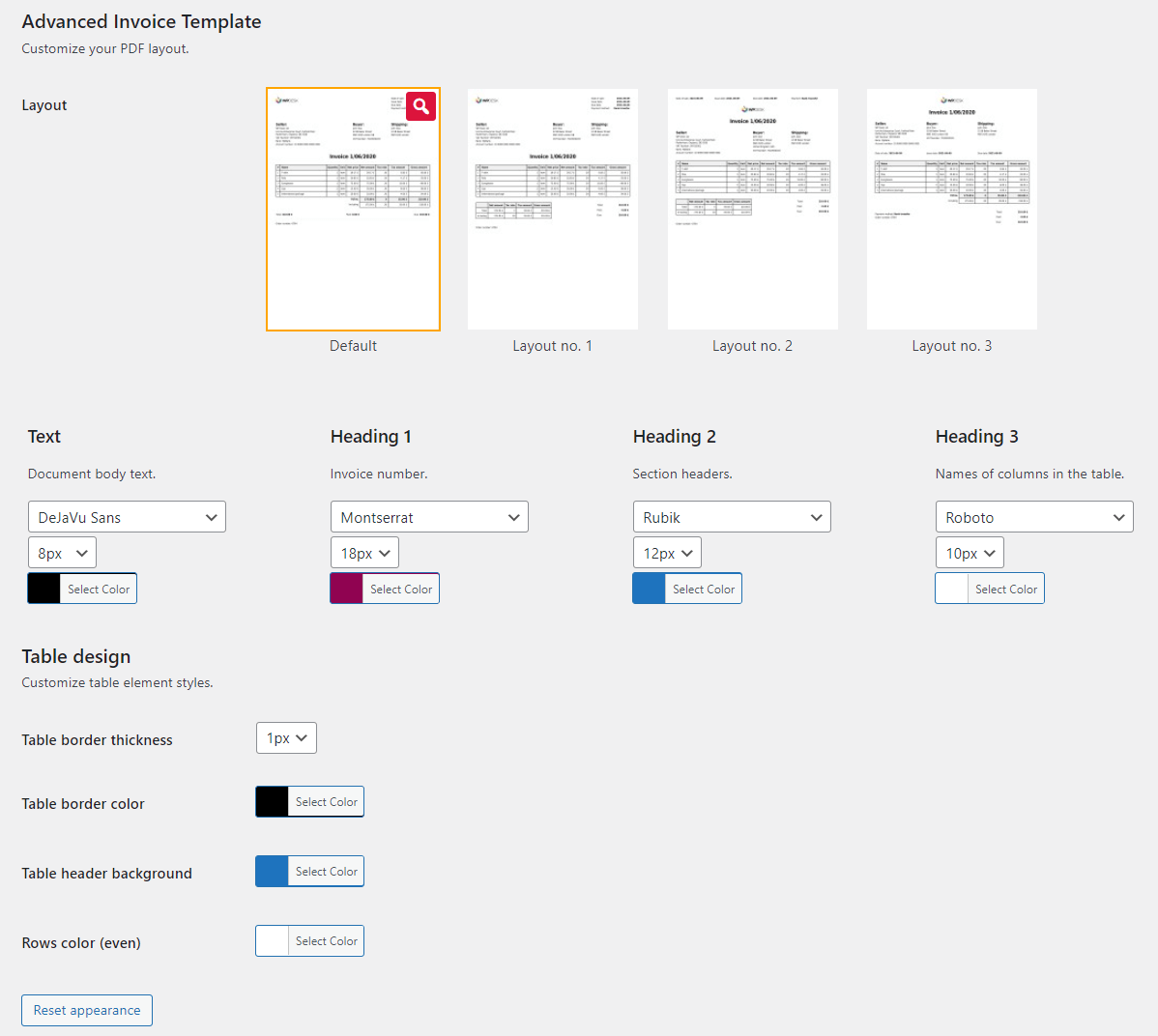
Read how to use Advanced Templates to edit your PDF invoice template in WooCommerce.
The All Plugins Bundle
The All Plugins Bundle contains Flexible Invoices PRO plus all current and upcoming add-ons. The subscription runs for a year and covers new add-ons released during it, so if you expect to need two or more of the four above, the bundle is the cheaper route.
Test the plugin and the 30-day refund policy
Try the PRO version and its add-ons on our free demo before buying anything. Also see our 30-day refund policy.
Support works differently by version: the free plugin is supported in the WordPress.org forums, while PRO includes one-to-one email support.
Flexible Invoices for WooCommerce PRO £59
Do you need automatic PDF invoices in WooCommerce?
Are you going or already selling to the EU?
The best WordPress & WooCommerce invoice plugin with automatic PDF invoices. Built-in EU VAT number validation, many features, add-ons, and great support!
Add to cart or View DetailsSummary
WooCommerce has no PDF invoicing of its own, so start with the free plugin and see how much of your month it actually takes. Issuing by hand is fine at a few orders a day, and the free version covers both store orders and documents created manually for phone or email sales. The moment to upgrade is when invoicing becomes a daily chore, when you need proforma or correction documents, or when you start selling B2B across the EU and need VAT numbers validated before the invoice is issued. Whichever version you run, check that your checkout collects every field the invoice has to carry, because that is where the data comes from.
Also worth reading:
- How to Configure WooCommerce Taxes: Complete Tutorial
- WooCommerce EU Taxes: Download Ready-to-import CSV with tax rates
- My best plugins for WordPress and WooCommerce
Frequently asked questions
Does WooCommerce generate invoices by default?
No. WooCommerce sends order confirmation emails, which are not invoices. A PDF document with a number, issue date and tax breakdown requires a plugin.
Can I create WooCommerce invoices for free?
Yes. The free version of Flexible Invoices issues PDF invoices for WooCommerce orders and lets you create documents manually, download them in bulk, email and print them. Automatic issuing on order status is a PRO feature.
Is an order confirmation email the same as an invoice?
No. The confirmation email lists what was bought; an invoice is an accounting document with a unique number from a continuous series, both dates, full details of both parties and the tax breakdown.
Can one plugin invoice both WordPress and WooCommerce?
Yes. The same plugin issues documents from WooCommerce orders and documents created by hand for sales that never went through the store, and both share one numbering series.
How do I correct an invoice that was already issued?
With a correction
