





Flexible Invoices is a cool WordPress & WooCommerce plugin. It allows you to issue PDF invoices in WooCommerce both with the free and premium version of the plugin! Below, you can learn key differences between the two versions. Decide if you need to buy the PRO version or use just the free version, which can be downloaded from WordPress Repository.
WooCommerce PDF Invoices with the plugin (free or premium)
Some of the plugin’s features are only available in the paid PRO version. The most important differences between free and PRO are mentioned below.
Generate and send PDF invoices automatically
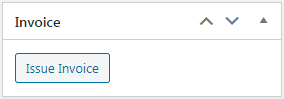
Firstly, using the free version, you won’t be able to generate documents automatically. You will have to always click the Issue Invoice button in your WooCommerce order screen:
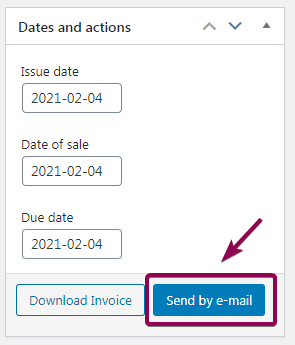
After that, you can download the PDF file. You would have to send it to your client manually, each time clicking the button:
With the Premium version of the plugin, you can choose order status for the automatic generation of WooCommerce PDF invoices.
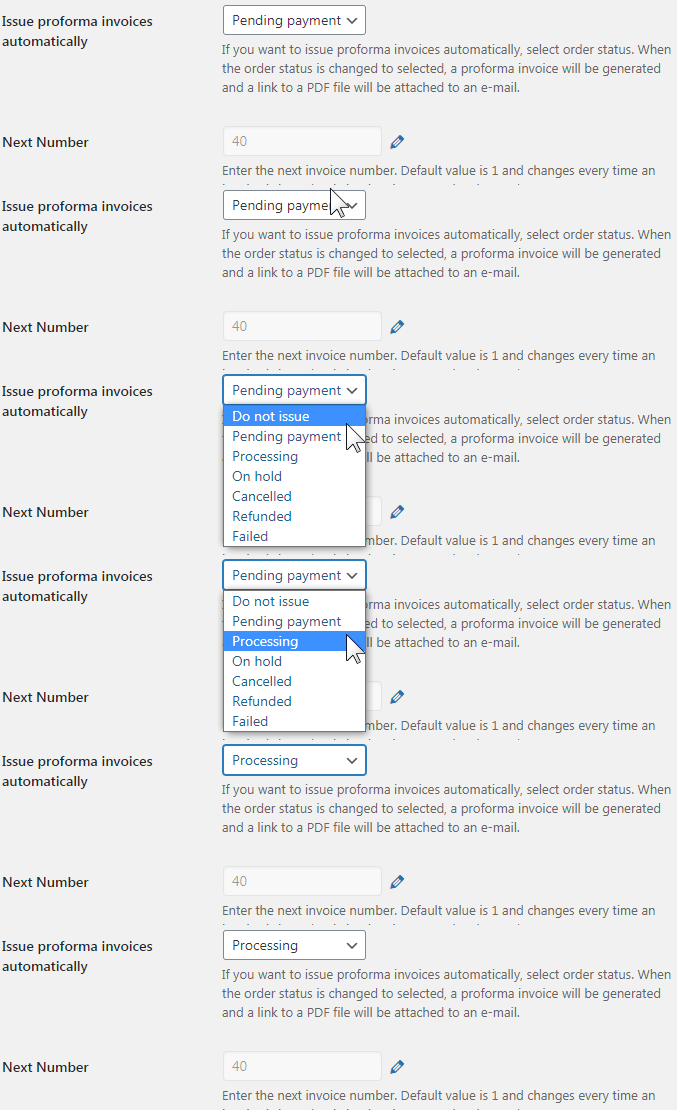
The invoice is also automatically sent to the client using the WordPress e-mail service. In conclusion, as you see from the free vs Premium comparison, the PRO version is better for automation. Read more on automatic invoicing in your WooCommerce store.
Proforma and correction invoices
Using the free version, you won’t be able to issue proforma invoices and correction invoices.
With the PRO version, you will be able to manually generate and send proforma PDF invoices to unpaid orders. Also, if you enable them, you can create correction invoices during the WooCommerce refund process.
Currency exchange table
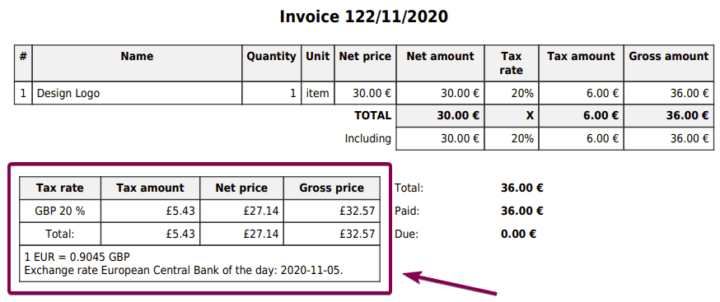
Only the PRO version allows you to show the currency exchange table on the generated document. The exchange rate is fetched from European Central Bank.
EU VAT Number validation
Plugin in the Premium version can verify the validity of a VAT number entered by the customer in the checkout. The plugin also is compatible with EU law.
Flexible Invoices free vs PRO
| Flexible Invoices free vs PRO | free | PRO |
|---|---|---|
General | ||
| Generate documents automatically | ||
| Send invoice automatically by e-mail | ||
| Send invoice manually by e-mail | ||
| Issue PDF invoices | ||
| Basic reports | ||
| Variations support | ||
| Batch PDF download | ||
Documents | ||
| Proforma invoices | ||
| Correction invoices | ||
Checkout & My Account | ||
| Access invoices from My Account | ||
| Ask the customer if he wants an invoice | ||
| Add VAT Number filed to checkout | ||
Customizing | ||
| Hiding VAT columns | ||
| Hiding seller VAT Number | ||
| Company logo on the invoice | ||
| Sequential order number | ||
| Reset next invoice number | ||
| Seller signature | ||
| Currency exchange table | ||
| Payment link on the invoice | ||
| Hide free items | ||
EU VAT | ||
| EU VAT Number validation | ||
| OSS handling (formerly MOSS) | ||
| Download Free | Buy PRO |
Would you like to know more about invoicing with the free version and see if you need the PRO? Then read how to start using the WooCommerce Invoice Plugin in WordPress & WooCommerce. You will see possibilities of both free and premium versions of the plugin there. Also, read how to Issue and Download an Invoice in WooCommerce – Quick Guide.
Flexible PDF Invoices for WooCommerce – Premium Add-ons
What’s more, the premium version of the Flexible PDF Invoices plugin has a few extensions (add-ons). For example, read how to edit & use in WooCommerce the PDF invoices custom template. Benefit from the beautiful WooCommerce PDF invoices templates add-on for the premium version of the Flexible Invoices plugin.
