



Invoices for WooCommerce Orders#
Issuing Invoices#
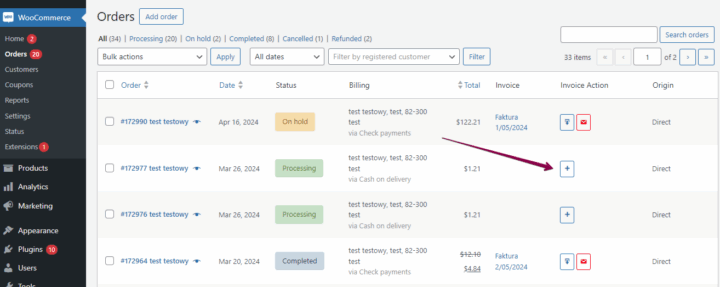
Go to the WooCommerce -> Orders list. Next to every order, there is an icon with the "+" signs for an invoice. Click the icon to issue the invoice. After the invoice has been issued, 2 additional icons will show a download icon and a send email icon. Click them to either download or send the invoice.
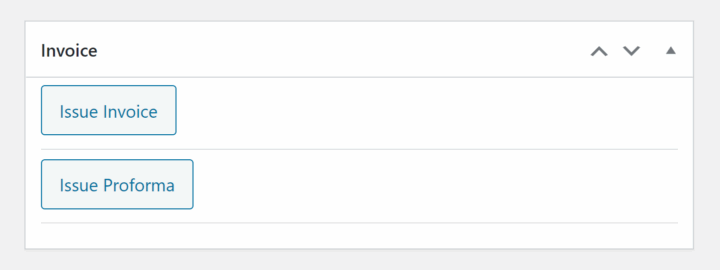
Issuing Invoices and Proforma#
1. Go to the order details.
2. In the Invoice metabox click Issue Invoice or Issue Proforma.
3. Next you can:
- download invoice by clicking Download Invoice,
- send invoice by clicking Send email,
- go to invoice editing by clicking on an invoice link.
Invoices for WordPress & outside a WooCommerce order#
In the Invoices menu, select Add New. Fill out all the fields and products, and then issue the invoice by clicking Publish.
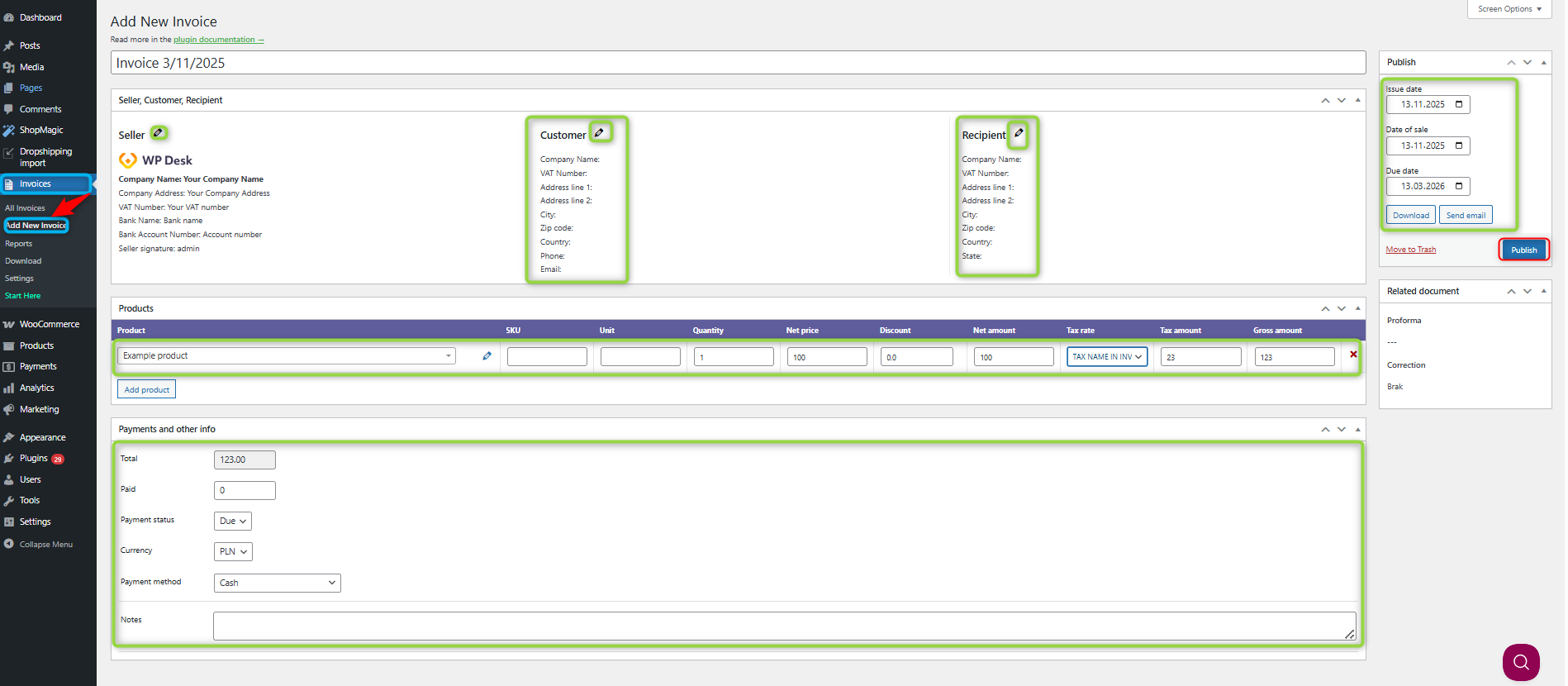
Remember to fill in all the information (marked in green boxes) such as product name, date of issue, etc.
The invoice will be available to download and for sending by e-mail as well (in the PRO version).
The plugin allows you also to download customer data such as "Client name" and "E-mail". Downloading all data is possible with the PRO version of the plugin.