



Issuing Corrections (PRO)#
You can also issue corrections manually from the Invoices panel level.

Go to the menu Invoices → All Invoices, search for the invoice you want to issue a correction. On the right side of the panel, under Actions, select the third icon in the row Create Corrections.
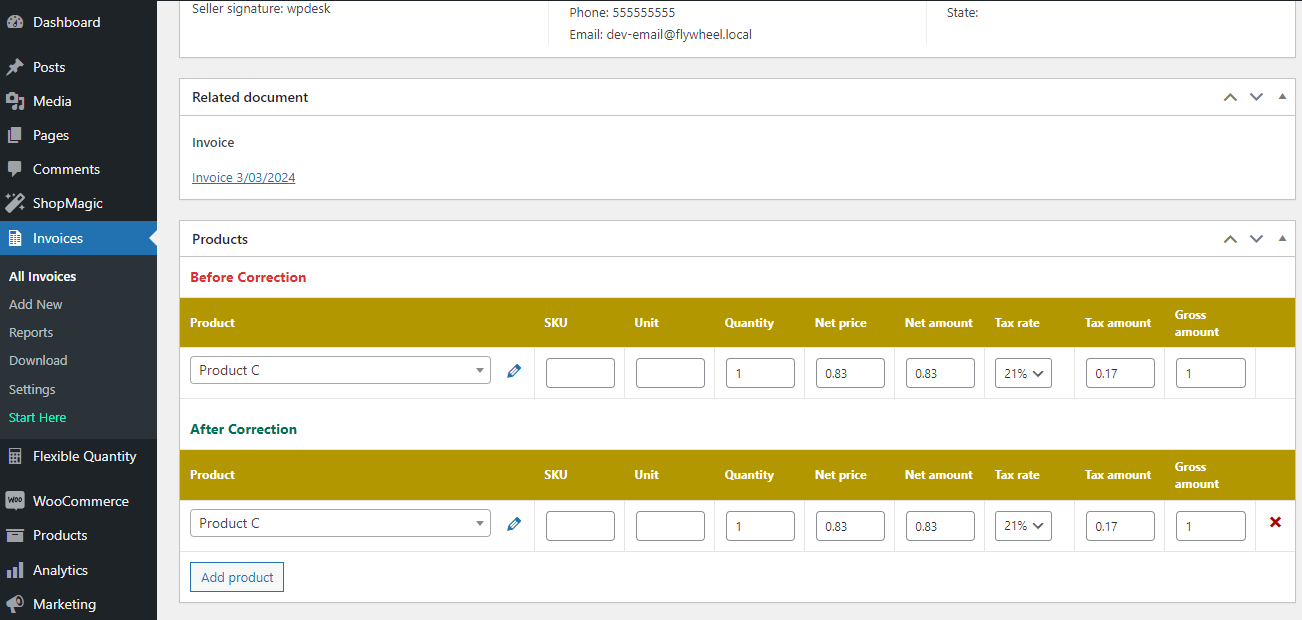
The correction edit panel is similar to the invoices and proformas panel, with the difference that, there are columns for before correction and after correction in the products section
Make the changes in the product field, then select the Publish button.
You may also check out the free plugin to let customers send refund requests in WooCommerce.