





How to send an invoice email in WooCommerce? Is the standard WooCommerce email invoice option not enough for you? Do you need a better solution to send emails with invoices? Try the plugin to create and send an email with a professional WooCommerce PDF invoice automatically!
From this blog post, you will learn:
- What does a standard email with a plain WooCommerce invoice look like
- A super-easy way to generate PDF invoices for WooCommerce orders (with a free plugin)
- How to automatically send an email with such a PDF invoice in WooCommerce to your customers after purchase
How to set emails in WooCommerce and a built-in invoice
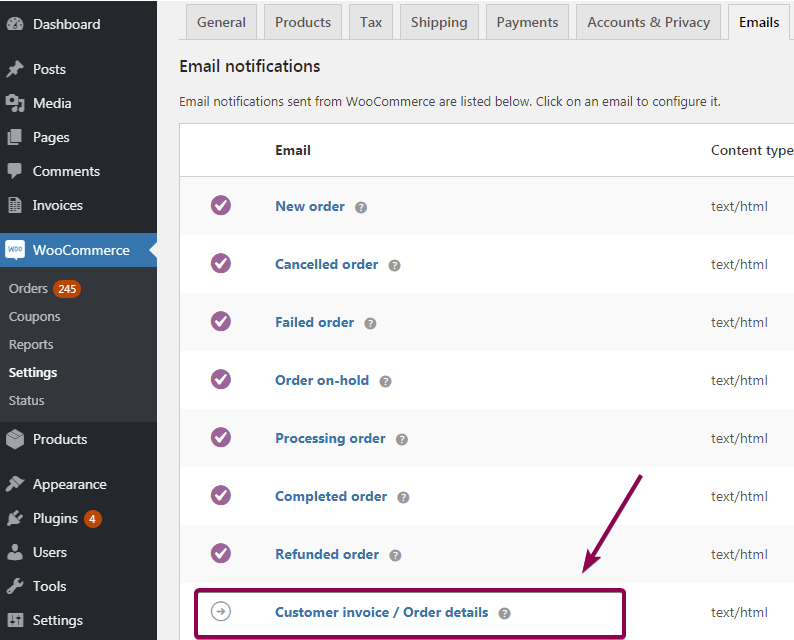
You may already know that there’s a simple built-in WooCommerce feature for sending “invoices”:
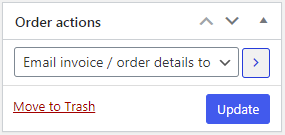
When you visit the order page in your WordPress dashboard, you will notice that there is an option for sending “invoices” to your customer:
If you use it, your customer will get an e-mail with order details. This is how it will look – WooCommerce sends such a standard email, which is called an “invoice”:
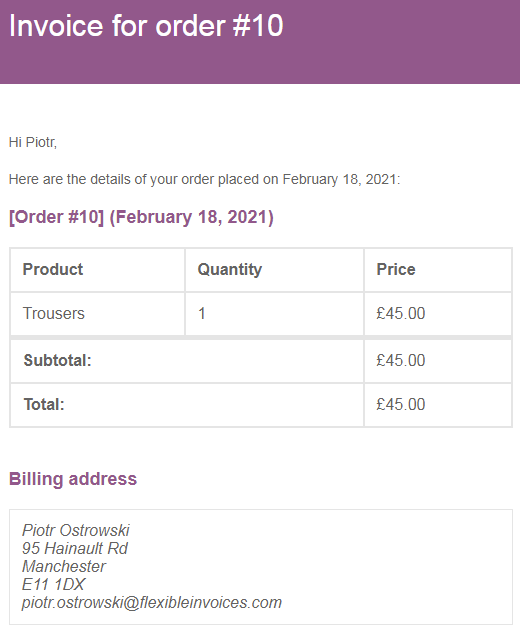
Okay, pretty neat. But too plain, too primitive for me. I need a more complex solution.
Send PDF invoices for WooCommerce orders to your customers with a free plugin
What would you say if I told you that you can send true PDF invoices to your customers for free? Below, you can see an example:
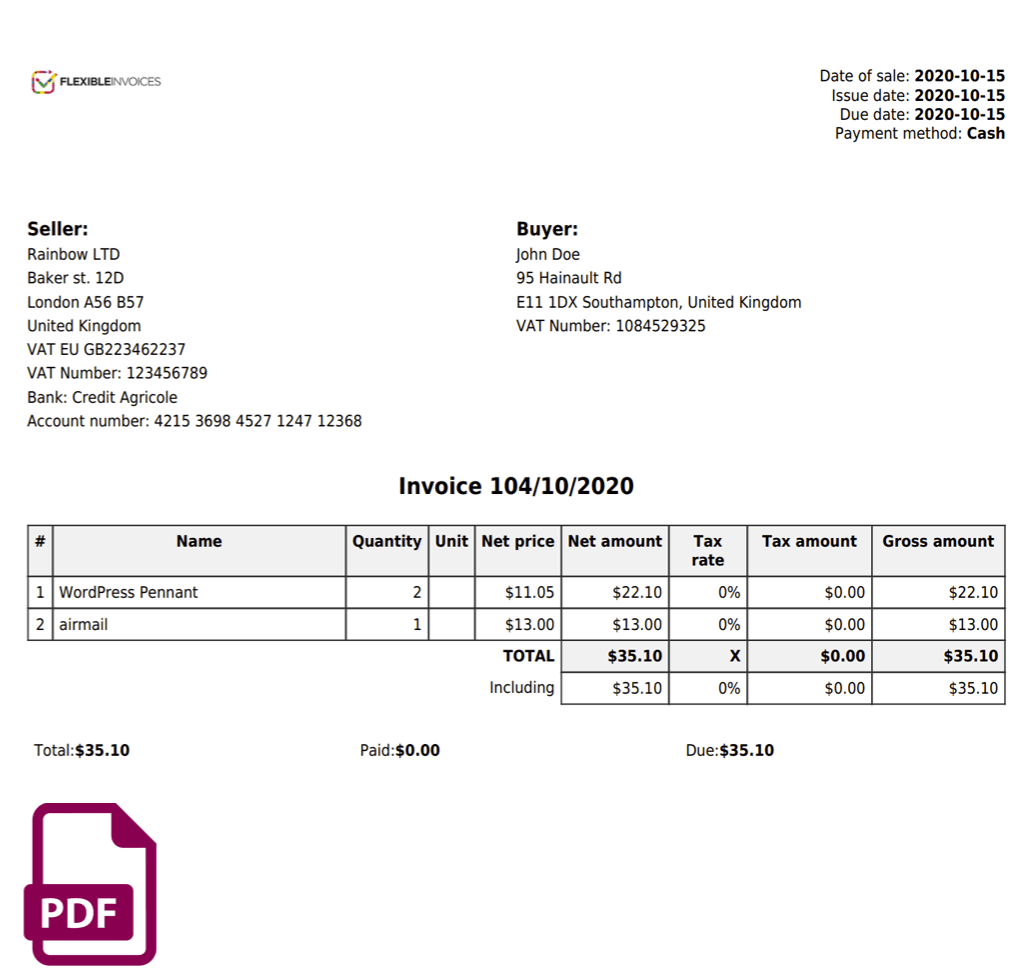
Much better, huh? Such a PDF invoice is a document that can be used for accounting purposes in your WooCommerce store. It is confirmed that invoices generated using this solution are 100% compatible with EU law. A personalized PDF document includes all necessary data:
- seller and buyer details
- unique number
- date
- VAT number
- order items
- tax rates and tax amounts
- total amount and currency
Flexible Invoices for WooCommerce
Use the PRO version to generate & send PDF documents to your customers automatically after purchase in your shop!
- Generate documents automatically
- Send invoice automatically by e-mail
- Proforma invoices
- Correction invoices
- and even more
PDF Invoices in WooCommerce – Quickstart
- Install and activate Flexible PDF Invoices for WooCommerce & WordPress from the WordPress plugin repository
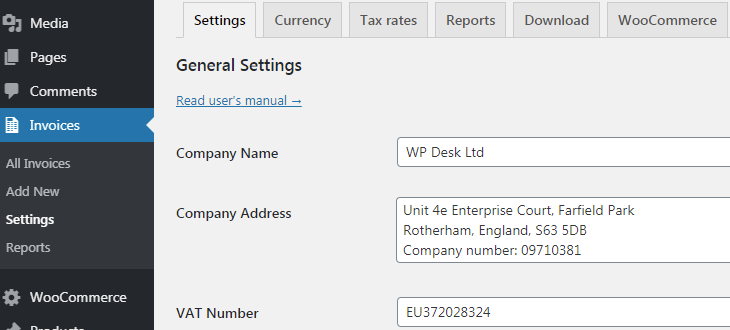
Download Free - Type in your company details on the plugin’s configuration page:
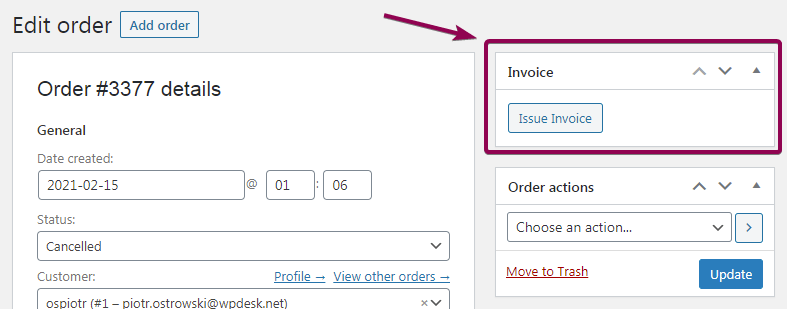
- Go to the WooCommerce Edit Order page and click Issue Invoice:
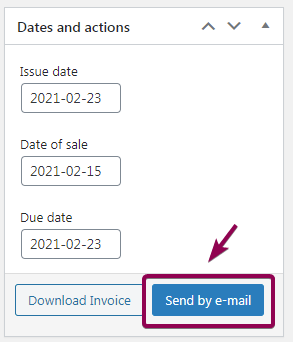
- After the invoice is generated, click its title and click the blue button Send by e-mail:
WooCommerce Email with a PDF Invoice – Final effect
As a result, your customer will get a simple, pretty-looking email with a link to the PDF file with the invoice:
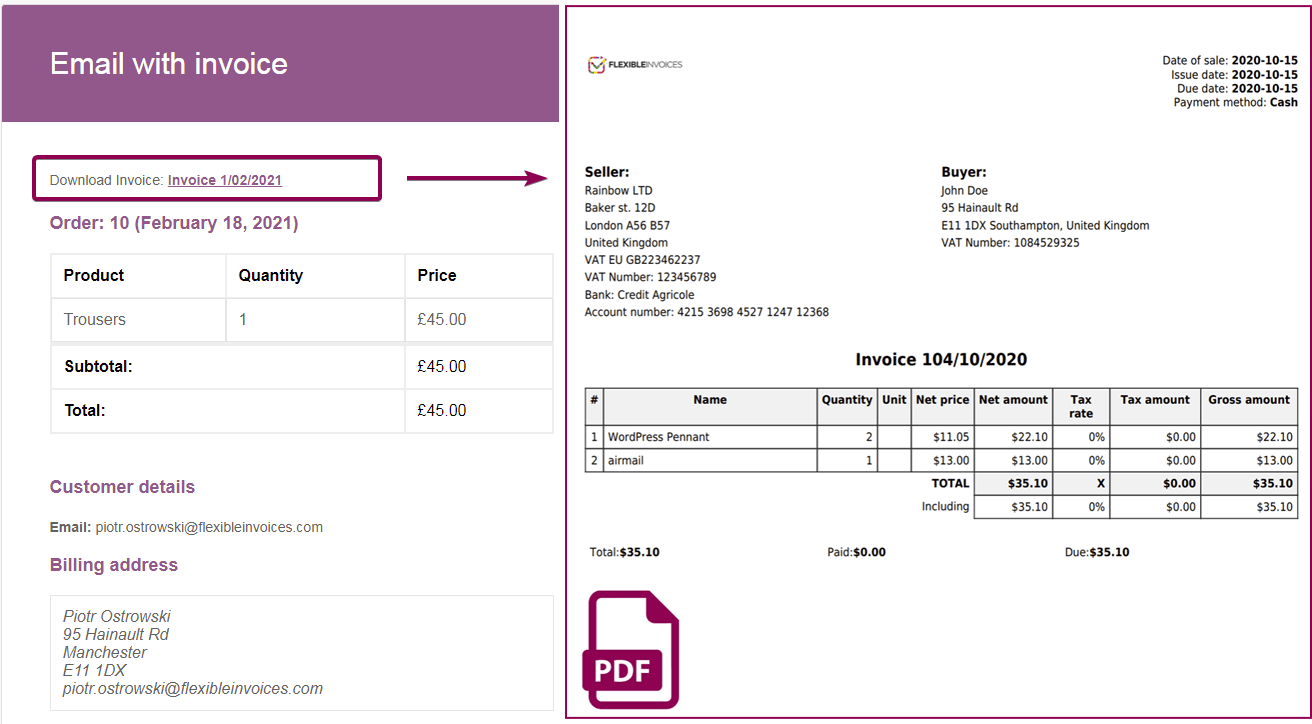
As you can see, you can get a professional-looking PDF document that you may generate using only one click! And with the second click, you can email it to your customer inbox. Doesn’t it sound lovely? And all of this for free.
Automatically generate & send an email with a PDF invoice in WooCommerce
How about going a step further and enabling automation? Wouldn’t it be nice if your customer would automatically get such a PDF invoice right after the purchase? It is easy to set up with the PRO version of the plugin, which you can buy using the button below:
Flexible Invoices for WooCommerce PRO £59
Use the PRO version to generate & send PDF documents to your customers automatically after purchase in your shop!
- Generate documents automatically
- Send invoice automatically by e-mail
- Proforma invoices
- Correction invoices
- and even more
With the PRO version, you will be able to automatically send the invoice to the customer after purchase. Just choose the order statuses on the configuration page and you are ready to go:
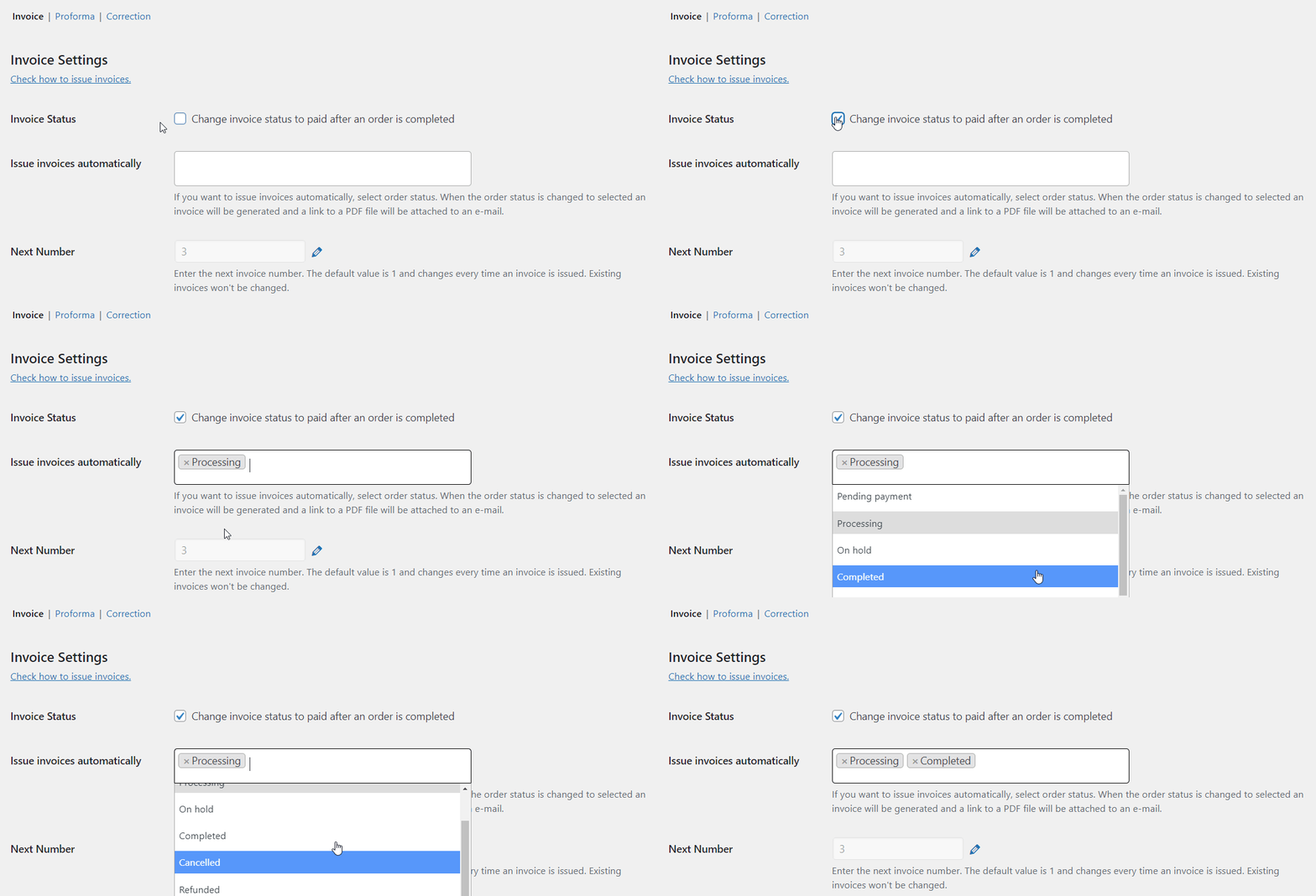
As a result, the invoice is automatically sent to the client using the WooCommerce email service after his purchase in the shop.
Better WooCommerce emails with Flexible PDF Invoices PRO
As you can see, with Flexible PDF Invoices PRO, you may extend standard WooCommerce email possibilities by adding three more emails that you can send to your customers:
- Invoice
- Proforma Invoice
- Correction Invoice (used for refunds)
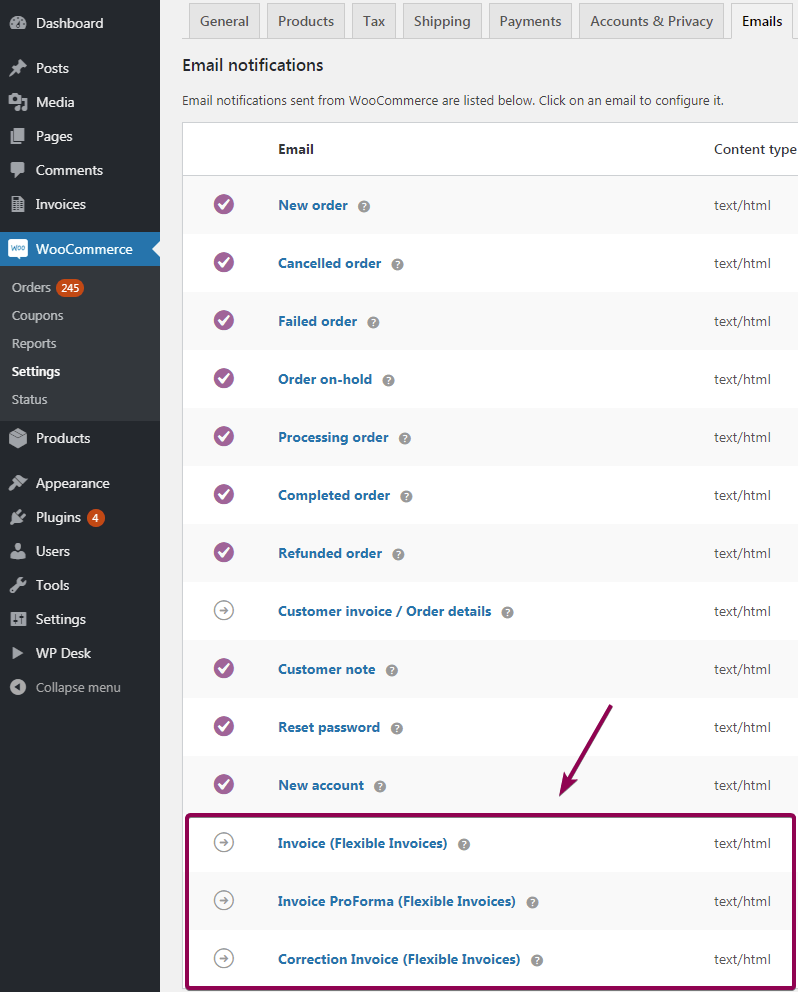
Learn more about key differences between the free and PRO version of our plugin by reading the Flexible Invoices free vs PRO comparison.
WooCommerce Invoice System, facture WooCommerce, faktury WooCommerce, e-boekhouden WooCommerce?
Did you know, that you may use the plugin in English, French, Spanish, Italian, Polish & Dutch? So use it as your WooCommerce Invoice System (e-boekhouden WooCommerce) or to issue WooCommerce fakturas (or facture WooCommerce or faktury WooCommerce) in your store automatically!
Emails will also be translated. If you need more languages for invoices and emails, the plugin supports WPML.
Want to know more on how to send an email with PDF invoices in WooCommerce?
First, read how to create, download, email & print an invoice in WordPress & WooCommerce. You will be able to compare there the free and PRO version of the plugin.
Then, read the plugin documentation.
Finally, test Flexible PDF Invoices free & PRO (and its add-ons) in your free demo. See which version will be better for you & start invoicing in WooCommerce right away.
Flexible Invoices for WooCommerce PRO £59
Use the PRO version to generate & send PDF documents to your customers automatically after purchase in your shop!
- Generate documents automatically
- Send invoice automatically by e-mail
- Proforma invoices
- Correction invoices
- and even more
Write to us if you have further questions.
