


• Skip to primary navigation
  • Skip to main content
Flexible Invoices wordmark logo on a white background
WP Desk

WP Desk

WooCommerce Plugins

Flexible Coupons

Flexible Coupons

Gift cards and tickets

ShopMagic

ShopMagic

E-mail automations

Flexible Invoices

  • Pricing
  • Add-ons
  • Docs
  • Support
  • Blog
  • My Account
  • Ideas
Brexit – How to invoice to UK?

Published: 2021-01-28 / Updated: 2026-06-12 / Blog

Brexit – How to invoice to UK?

Przemek Rosa

On December 30, 2020, the United Kingdom left the European Union, and we adapted our WooCommerce invoice plugin to the new reality. In this article, you will learn how to create a VAT invoice to UK after Brexit in WooCommerce.

  • Invoices before Brexit
  • Virtual products – how to invoice them after Brexit
  • Invoice for sales of goods after Brexit
  • Create a VAT invoice to the UK in WooCommerce

Invoices to the UK in WooCommerce before Brexit

While updating Flexible Invoices WooCommerce, we had to, understand how the invoicing procedures for the UK are changing. And decided to share the conclusions with you. But please, remember to handle this article as advice, not a rule. Be sure to consult the changes on your invoices with your accountant.

Until now European companies could use European procedures such as VAT OSS (formerly VAT MOSS) to issue invoices to the UK. You can read about it here.
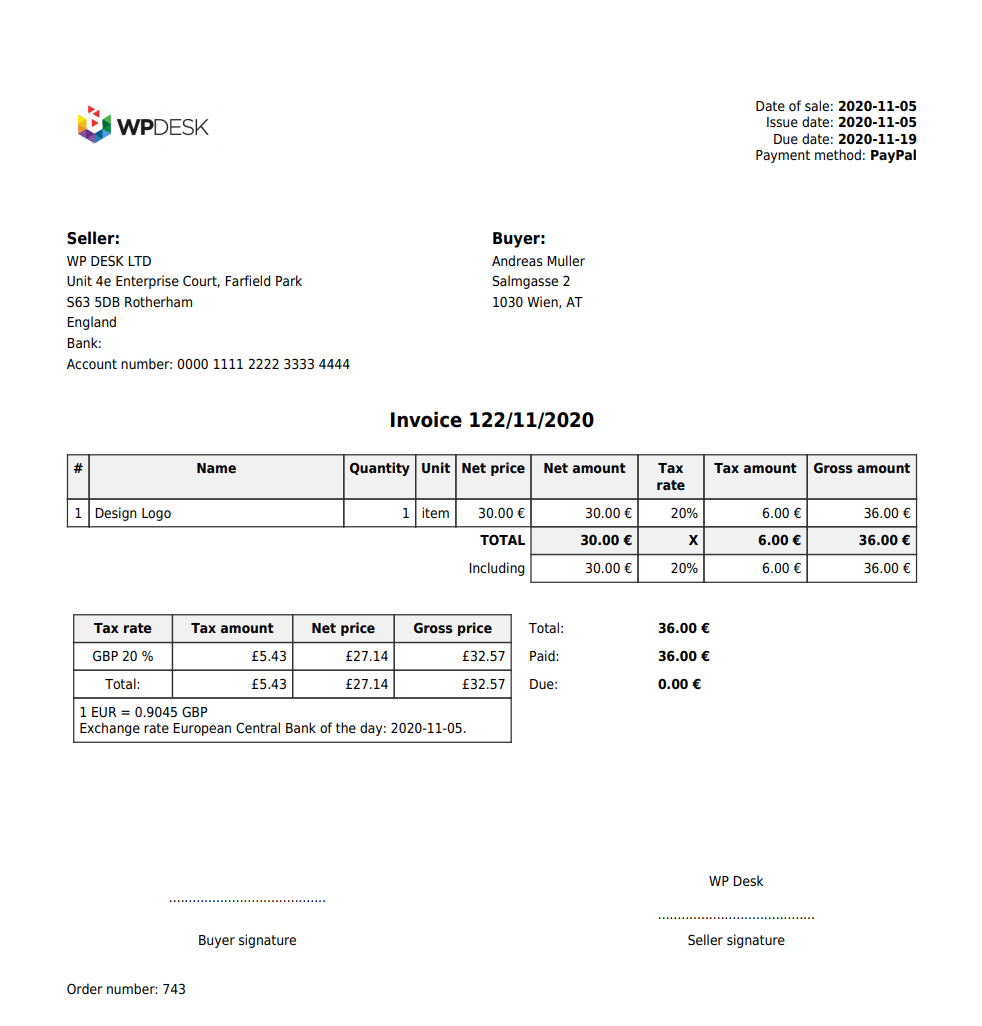
invoicing european companies vat
Issue MOSS invoices for European customers in your WooCommerce automatically

From January 2021, European procedures no longer apply to UK customers. Therefore, there are some changes on invoices to UK customers, which you can read about below.

Read also about Accounting for VAT on services between the UK and EU member states from 1 January 2021.

Virtual products – how to invoice to UK after Brexit?

How the Brexit influenced the way you create a VAT invoice in WooCommerce? Fortunately, the changes seems to be easy.

Most important, EU companies still invoice with VAT exemption. And as before Brexit, no VAT is added to invoices.

Secondly, if the customer has a EU VAT number (what isn’t obvious in the UK), companies from EU don’t need to put it on the invoice.

VAT on sales outside the EU – if your customer is a company – should be settled by the invoice recipient.

Thirdly, European sellers shouldn’t omit the VAT reverse-charged note. It should still be visible on the invoice to the UK and other countries, including non-EU.
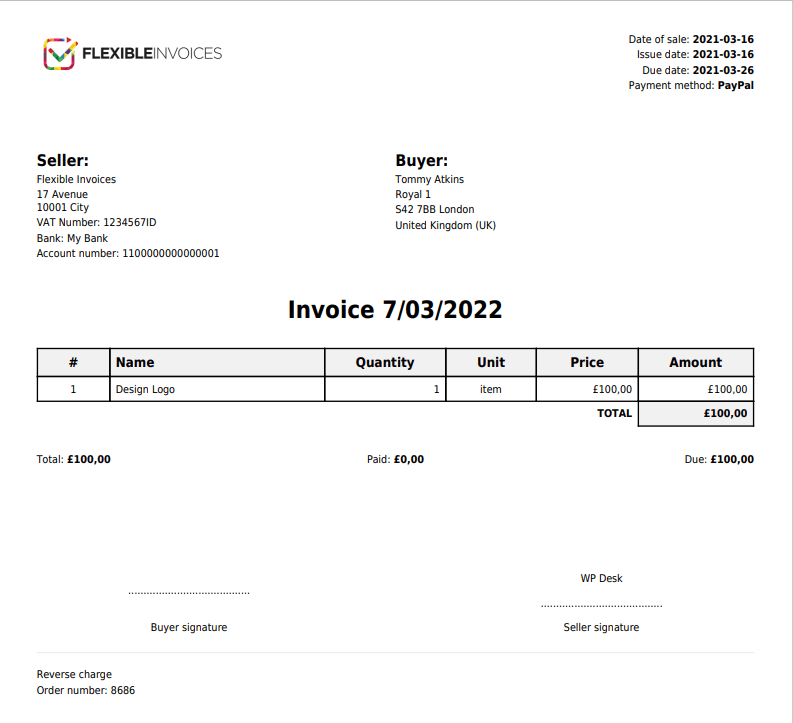
WooCommerce VAT Invoice To Uk After Brexit

If your customer is from UK but it’s not a company, the procedure is the same unless there is a need to register for VAT in the UK. Ask your accountant if you want to know when this is necessary!

How do I invoice for sales of goods after Brexit?

The sale of goods to a UK company or individual should be treated as an export of goods outside the EU. Therefore, under one condition it will be exempt from VAT. The condition for VAT exemption will be the possession of a document confirming the export of the goods outside the EU.

How to create a VAT invoice to UK in WooCommerce after Brexit?

If you run a WooCommerce store and sell to EU or non-EU countries, check out our Flexible Invoices for WooCommerce plugin. With its help, you can easily create an VAT invoice in WooCommerce, also after Brexit!

Flexible Invoices for WooCommerce PRO £59

Add to cart or View Details
WP Desk
Plugins used by 6,000+ shops
Last Updated: 2026-09-15
Works with WooCommerce 10.7 - 11.1

Read some articles if you would like to know more on:

  • How to create, download, email & print an invoice in WordPress & WooCommerce with a plugin
  • How to Configure WooCommerce Taxes (a Complete Tutorial)

About Przemek Rosa

Hey, I am a Product Owner of Flexible Invoices :)
Your suggestions about the plugin strike right to my mailbox. Do you have any? Go ahead and email me!

  • Terms & Conditions
  • Privacy Policy
  • Support Policy
  • Refund Policy

© 2026 A WP Desk WP Desk Invoicing

Manage Consent
To provide the best experiences, we use technologies like cookies to store and/or access device information. Consenting to these technologies will allow us to process data such as browsing behavior or unique IDs on this site. Not consenting or withdrawing consent, may adversely affect certain features and functions.
Functional Always active
The technical storage or access is strictly necessary for the legitimate purpose of enabling the use of a specific service explicitly requested by the subscriber or user, or for the sole purpose of carrying out the transmission of a communication over an electronic communications network.
Preferences
The technical storage or access is necessary for the legitimate purpose of storing preferences that are not requested by the subscriber or user.
Statistics
The technical storage or access that is used exclusively for statistical purposes. The technical storage or access that is used exclusively for anonymous statistical purposes. Without a subpoena, voluntary compliance on the part of your Internet Service Provider, or additional records from a third party, information stored or retrieved for this purpose alone cannot usually be used to identify you.
Marketing
The technical storage or access is required to create user profiles to send advertising, or to track the user on a website or across several websites for similar marketing purposes.
  • Manage options
  • Manage services
  • Manage {vendor_count} vendors
  • Read more about these purposes
View preferences
  • {title}
  • {title}
  • {title}