



You can set up conditions for issuing invoices along with their templates with Flexible Invoices Conditional Templates add-on.
The Flexible Invoices Conditional Templates add-on allows you to automatically switch invoice templates based on order conditions such as country, product, user role, payment method, and more.
Installation#
1. Prerequisites: Flexible Invoices for WooCommerce PRO (v3.6+).
2. Download: Get flexible-invoices-conditional-templates.zip from your flexibleinvoices.com/my-account/.
3. Install:
- In WordPress Admin, go to Plugins → Add New → Upload Plugin.
- Select the ZIP file and click Install Now, then Activate.
4. Verify: Navigate to Invoices → Settings → Conditional logic for templates to confirm the new settings tab is available.
Settings Overview#
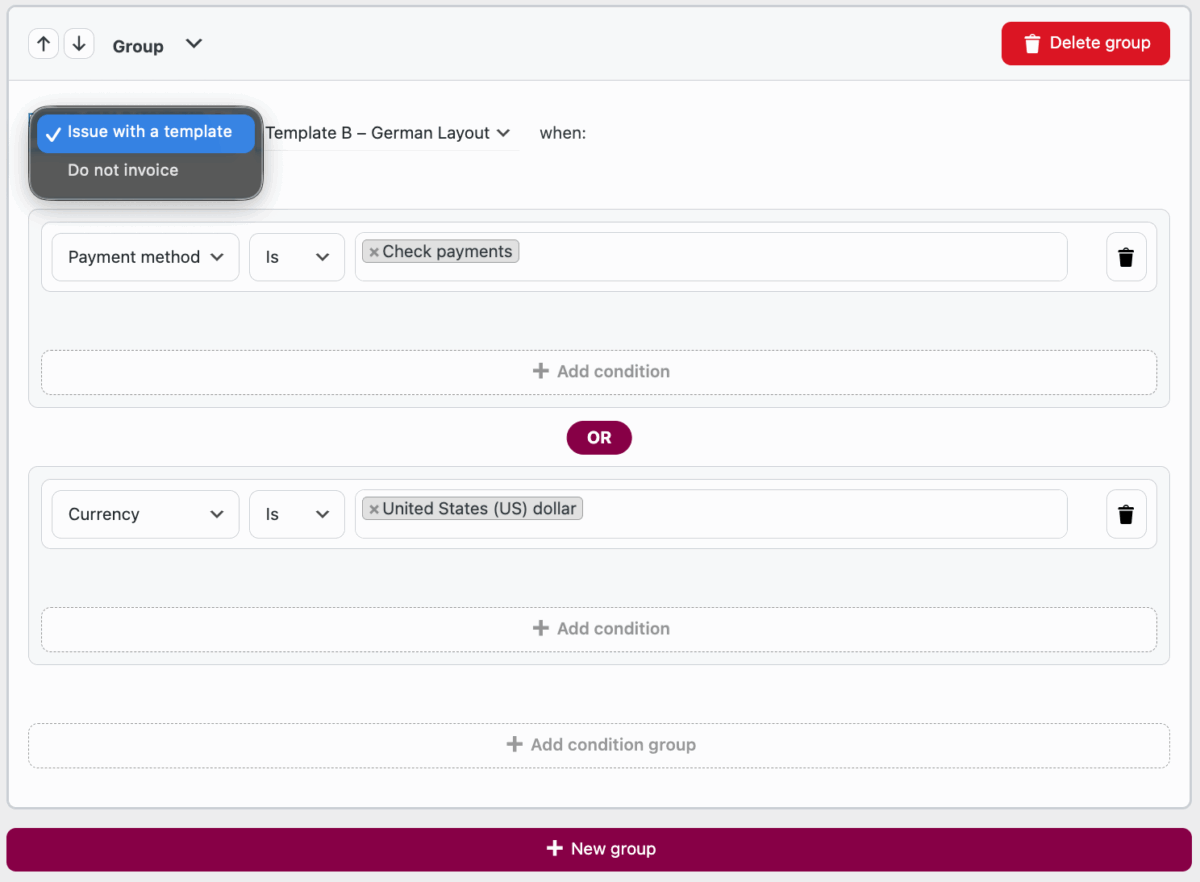
Define rules to select which invoice template applies when certain conditions are met. Access this via Invoices → Settings → Conditional logic for templates.
Rule Interface#
- Issue with a template: allows to create conditions for invoicing with choosen templates.
- Do not invoice: allows to create conditions for not invoicing at all.
When
- Template: Choose the invoice layout.
- Add Condition: Specify order attribute, operator, and value.
- AND Logic: Multiple conditions in one rule are combined with AND.
- OR Groups: Add alternative condition sets via OR groups.
- Rule Priority: Rules are evaluated top-down; the last matching rule wins.
Available Conditions#
| Condition Type | Description |
|---|---|
| Buyer Country | Check billing country (is / is not). |
| Currency | Check order currency (is / is not). |
| Order Value | Compare total amount (greater than / less than / equal to). |
| Payment Method | Select WooCommerce payment gateway (is / is not). |
| Product | Trigger on a specific product in the order. |
| Product Category | Trigger on items in a particular category. |
| User Role | Check the customer’s WordPress role (is / is not). |
| VAT Number | Check if the VAT ID field is filled or empty (filled / empty / equals) |
Save changes to apply your rules immediately.
You can set as many rules as you consider it sufficient to customize invoicing process in WooCommerce store.
Usage Examples#
The following examples illustrate common conditional template configurations.
Example 1: Germany Orders#
Goal: Use a special invoice template for orders with billing country Germany.
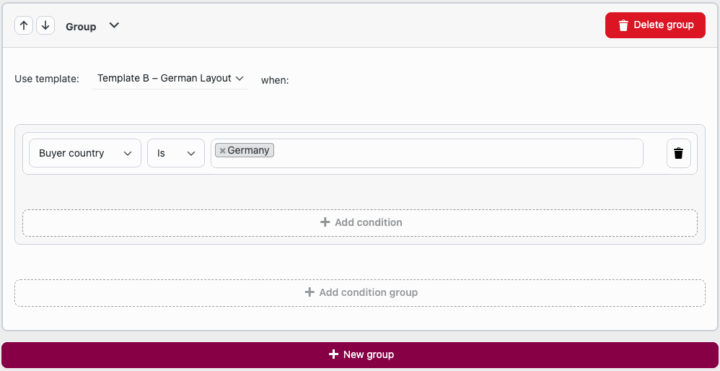
1. Select Template B – German Layout.
2. Add condition: Buyer Country is Germany (DE) .
3. Save changes.
Result: All orders from Germany will use the specified German invoice template (Template B – German Layout).
Example 2: Specific Product#
Goal: Apply a custom invoice template when the order contains “Awesome Widget X”.
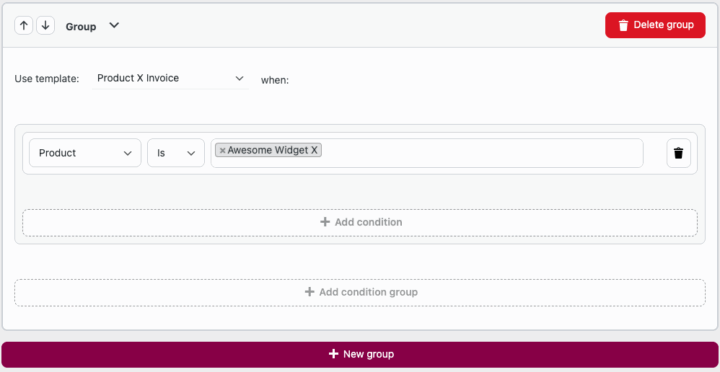
1. Select Product X Invoice template.
2. Add condition: Product is “Awesome Widget X” .
3. Save changes.
Result: Invoices for any order containing Awesome Widget X will use the Product X invoice template.
Example 3: B2B Customers#
Goal: Use a B2B-specific template when a VAT Number is provided.
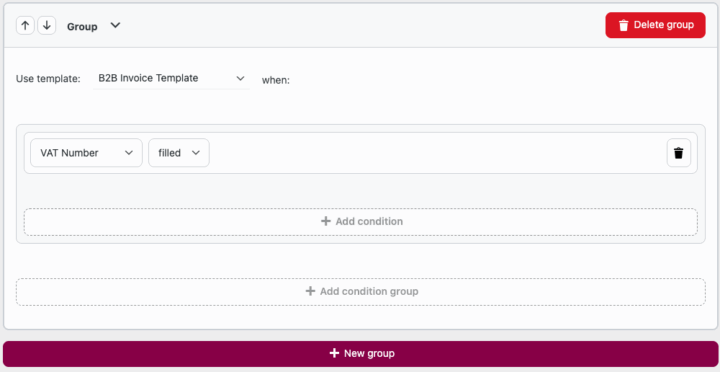
1. Select B2B Invoice Template.
2. Add condition: VAT Number is filled .
3. Save changes.
Result: Any order with a VAT ID will use the B2B invoice template.