



Important - If the plugin has a free version, it should also be installed and activated (as the PRO version) in the Plugins menu in your WordPress admin. Download Flexible Invoices free ➡️
Benefits of activating the plugin#
Activating your subscription allows you to activate plugins after installation and receive automatic updates directly from the WordPress Dashboard. Our new licensing system no longer requires the activation of unique API keys. Instead, we will ask you to register your store’s domain. Read about the activation process below.
Steps to activate Flexible Invoices PRO#
- Log in and go to My Account.
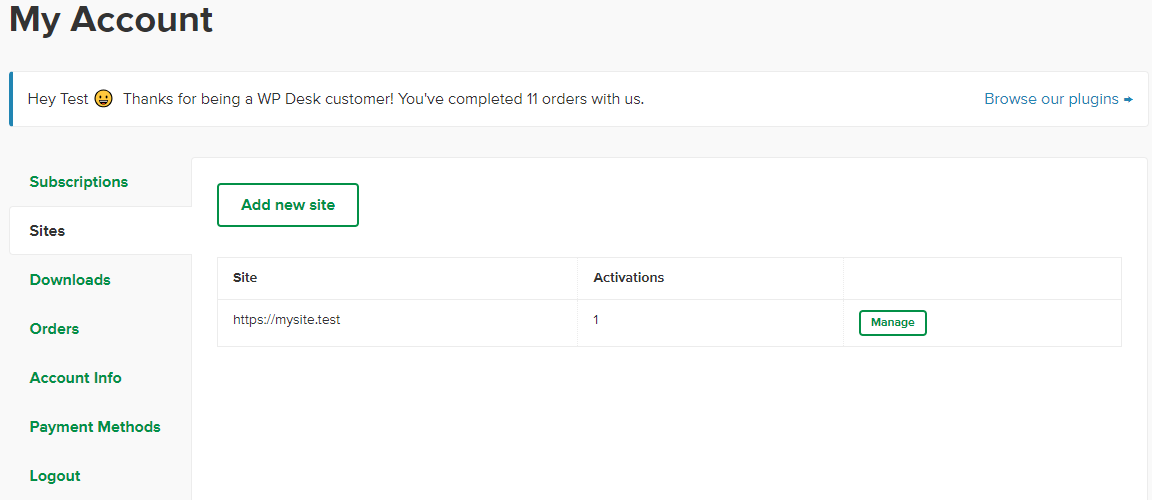
- Go to the Sites tab and add your website’s URL. Once you’ve added your website, you can manage your plugin.
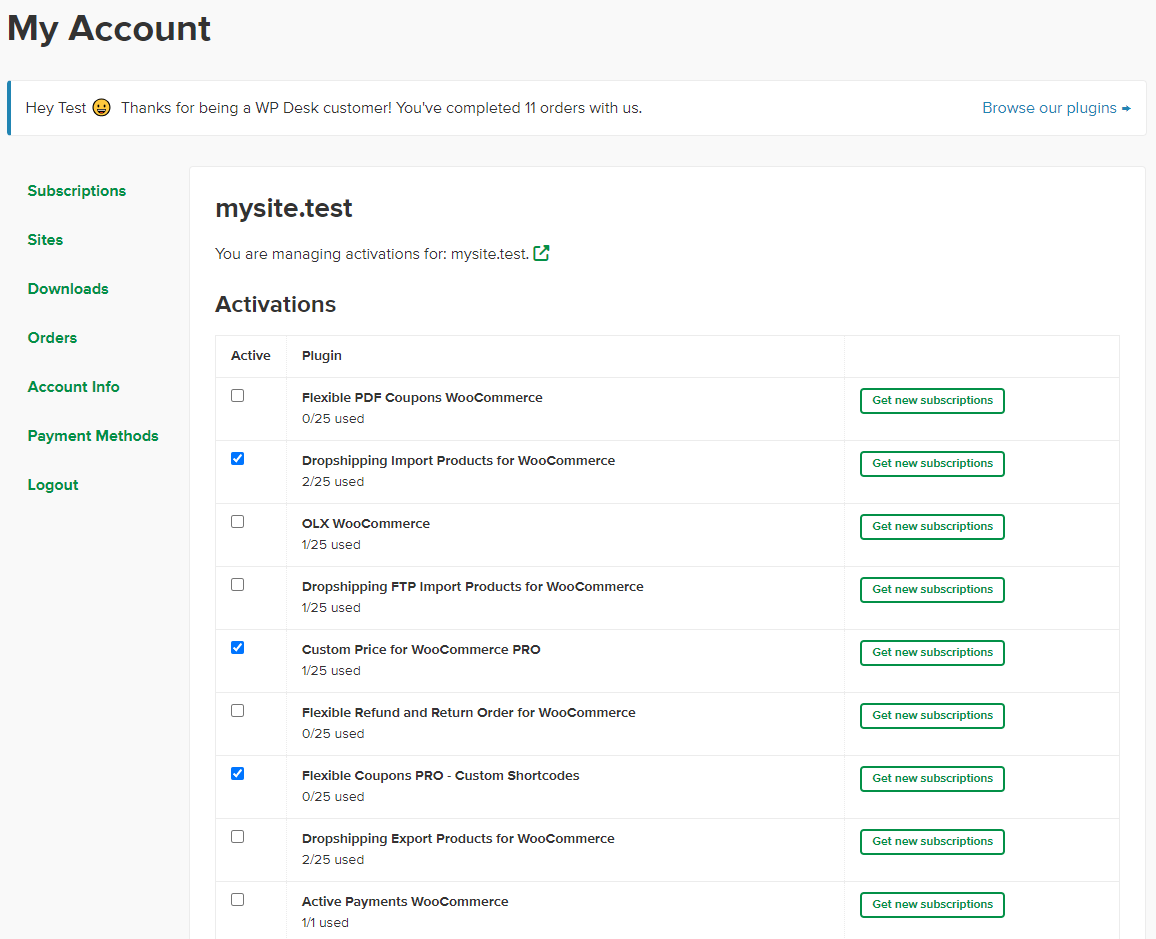
- Click the Manage button and select the checkbox next to the plugin you want to activate for your store. That’s it. The plugin is activated, and you can start using it.
- Download the plugin you want to install:
- Install the plugin using your WordPress panel. Then, enable the plugin.
- The plugin is now ready to configure and use.
Flexible Invoices updates#
If an update is available for a plugin and the plugin has not been activated, the system automatically activates it on the page to which the subscription is assigned.
If you encounter any issues with the subscription activation, please contact us.