• Skip to primary navigation
  • Skip to main content
Flexible Invoices wordmark logo on a white background
WP Desk

WP Desk

WooCommerce Plugins

Flexible Coupons

Flexible Coupons

Gift cards and tickets

ShopMagic

ShopMagic

E-mail automations

Flexible Invoices

  • Pricing
  • Add-ons
  • Docs
  • Support
  • Blog
  • My Account
  • Ideas
Free solution for WooCommerce order numbers not being sequential

Published: 2024-05-17 / Updated: 2025-11-26 / Blog

Free solution for WooCommerce order numbers not being sequential

Tomasz Bednarek

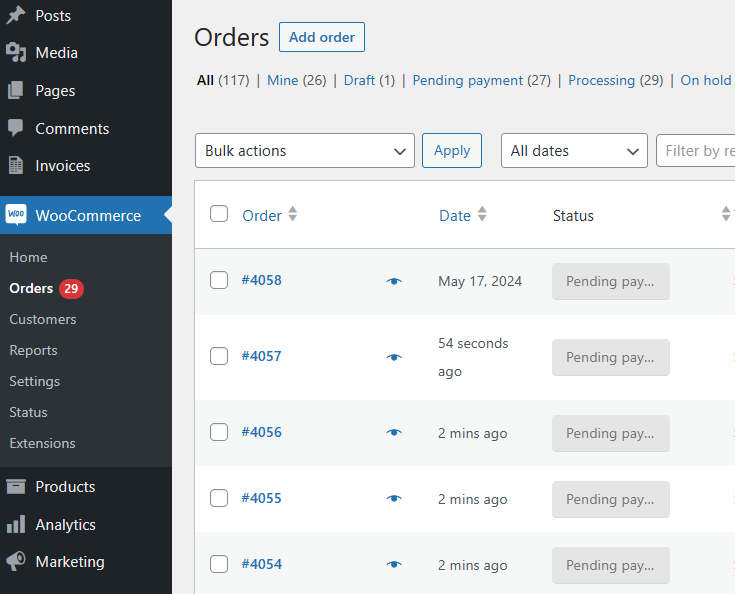
When generating orders, WordPress uses post IDs for posts, pages, media, products, subscriptions, or even post/page revisions. It means that you will almost certainly encounter not sequential WooCommerce order numbers. In this article, you may find a free method to solve the issue.

WooCommerce sets the same ID for order numbers that can lead to not sequential orders 😥.
Woocommerce Order Numbers Not Sequential

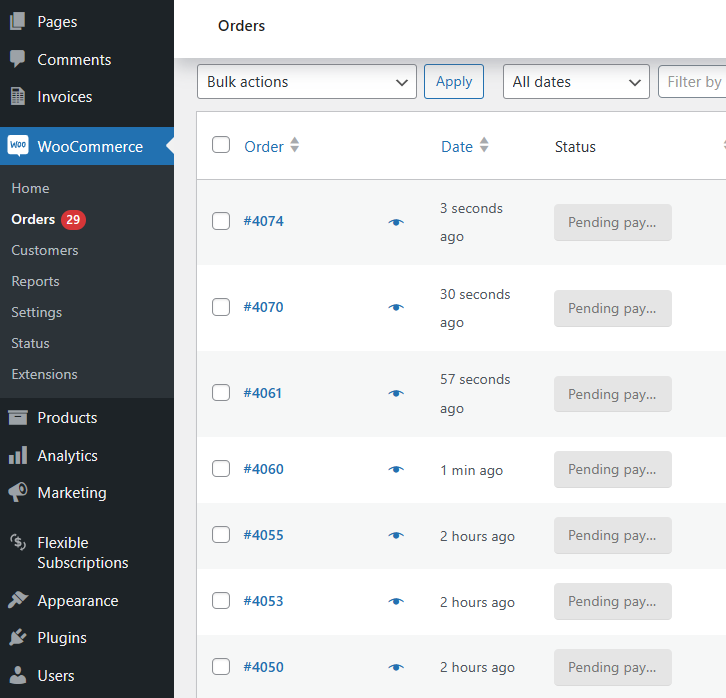
Let’s see the solution 👍.

Sequential Woocommerce Order Numbers

Flexible Invoices for WooCommerce

Download for free or Go to WordPress.org
WP Desk
6,000+ Active Installations
Last Updated: 2026-08-19
Works with WooCommerce 10.7 - 11.1

Table of contents

  • Make WooCommerce order numbers sequential
  • PDF Invoices with sequential order numbers
  • About post ids in WordPress & WooCommerce

Make WooCommerce order numbers sequential

The method is fast. It takes much less time than writing about it 😀. Let’s see 3 steps to order WooCommerce orders sequentially. I will try to set it up in less than a minute ⌚.

Step 1: Install Flexible Invoices

First, I log in to the site’s WordPress backend.
Wordpress Login

I may go find and install the plugin in the Plugins menu.

Next, I click the “Add new” button and type in “flexible invoices” in the Search box to install the extension.
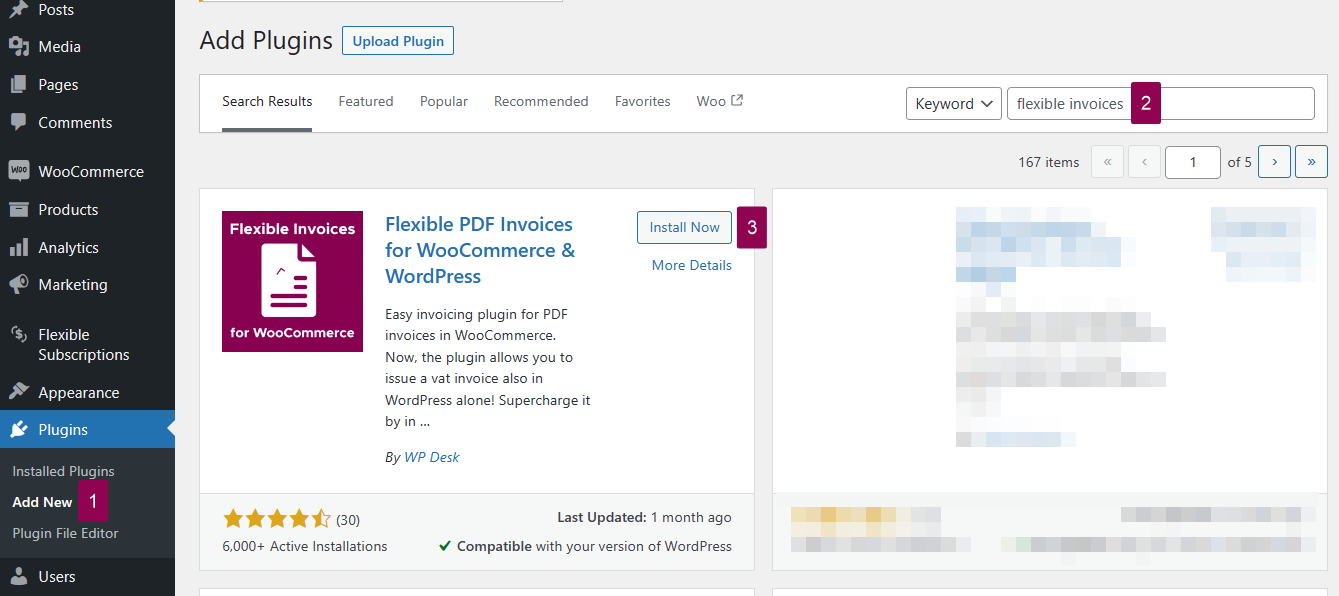
Install Flexible Invoices

You may also download and upload the plugin manually.

Go to Flexible Invoices in WordPress.org →

Step 2: Activate the plugin

Activation takes about 5 seconds 💨.
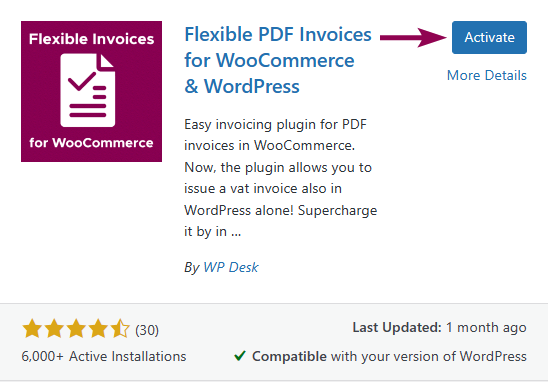
Activate The Plugin

Step 3: Enable sequential order numbers

Finally, I go to the Invoices menu → Settings → WooCommerce → General and enable the option.
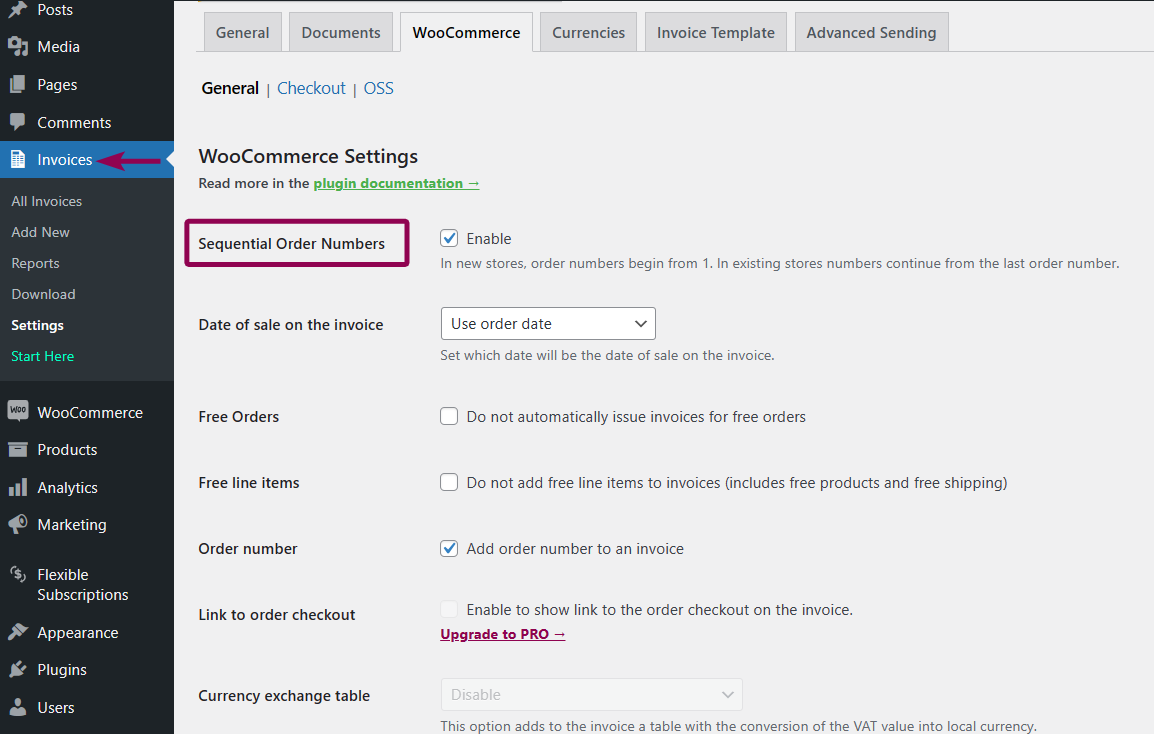
How To Enable Woocommerce Sequential Order Numbers

That’s it! I have not passed 1 minute – it’s even possible in less than 35 seconds 🙂

From now on, WooCommerce will set the order names with sequential numbers ✅.

Sequential Woocommerce Order Numbers

PDF Invoices with sequential order numbers

The plugins can speed things up. But that’s not all.

As you can see, Flexible Invoices are taking care of invoicing. The free extension can generate PDF invoices for WooCommerce orders but also for WordPress alone.
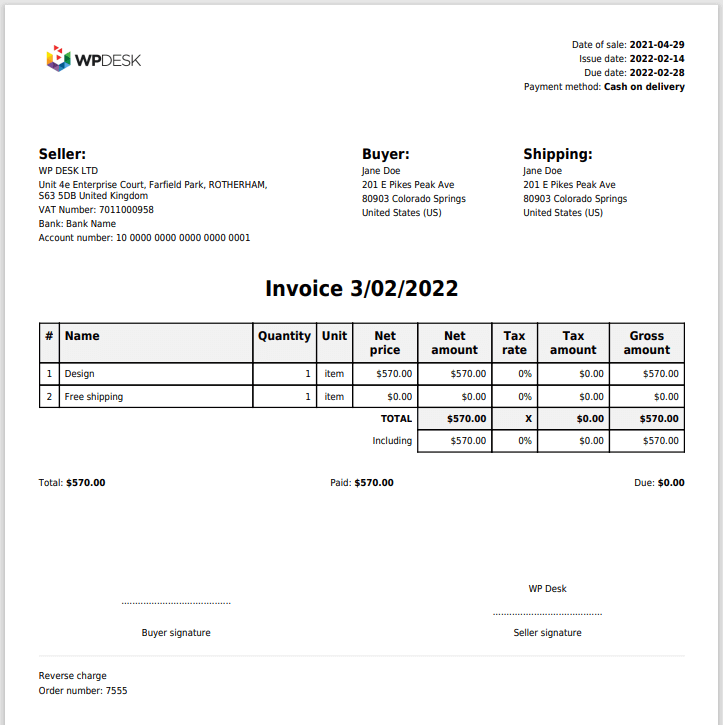
WooCommerce Invoicing Plugin Pdf Invoice

The plugin inserts the order number on the invoices and there are additional options ⚙️.

You may see the short video about the plugin.

There is also a PRO version with automatic invoicing, 3 types of documents, OSS support, VAT EU validation, reverse charge annotation, currency exchange rates, and more ⭐.

You can check out all features on the product page.

Also, you may compare free with PRO in this article.

About post ids in WordPress & WooCommerce

WordPress builds the database structure with post ids. So, when you add posts, pages, media, products, subscriptions, or even post/page revisions WordPress makes a new record in the database in the wp_posts table. Why 🤔?

Because it allows WordPress to link the data between tables using post_id. For example, WooCommerce products contain a lot of information like price, tax status, shipping, stock, or thumbnail id inside the wp_postmeta table. The linking is necessary to show the product meta data. IDs are unique so that the information is properly structured 📁.

When generating invoices, the Flexible Invoices plugin uses the IDs as well 🙂.

Summary

Do you have any questions about the solution for not sequential WooCommerce order numbers or PDF invoices 🙂? You can download the plugin below or see its features on WordPress.org.

Flexible Invoices for WooCommerce

Download for free or Go to WordPress.org
WP Desk
6,000+ Active Installations
Last Updated: 2026-08-19
Works with WooCommerce 10.7 - 11.1

About Tomasz Bednarek

Finds solutions and helps people implement good ideas.

  • Terms & Conditions
  • Privacy Policy
  • Support Policy
  • Refund Policy

© 2026 A WP Desk WP Desk Invoicing

Manage Consent
To provide the best experiences, we use technologies like cookies to store and/or access device information. Consenting to these technologies will allow us to process data such as browsing behavior or unique IDs on this site. Not consenting or withdrawing consent, may adversely affect certain features and functions.
Functional Always active
The technical storage or access is strictly necessary for the legitimate purpose of enabling the use of a specific service explicitly requested by the subscriber or user, or for the sole purpose of carrying out the transmission of a communication over an electronic communications network.
Preferences
The technical storage or access is necessary for the legitimate purpose of storing preferences that are not requested by the subscriber or user.
Statistics
The technical storage or access that is used exclusively for statistical purposes. The technical storage or access that is used exclusively for anonymous statistical purposes. Without a subpoena, voluntary compliance on the part of your Internet Service Provider, or additional records from a third party, information stored or retrieved for this purpose alone cannot usually be used to identify you.
Marketing
The technical storage or access is required to create user profiles to send advertising, or to track the user on a website or across several websites for similar marketing purposes.
  • Manage options
  • Manage services
  • Manage {vendor_count} vendors
  • Read more about these purposes
View preferences
  • {title}
  • {title}
  • {title}