




By default, WordPress doesn’t include invoicing features. However, you can easily add them with the right plugin. In this guide, you’ll learn how to create and send free PDF invoices using a WordPress invoice plugin.
In short, the plugin lets you generate and send invoices for free — with full VAT support included and optional WooCommerce integration.
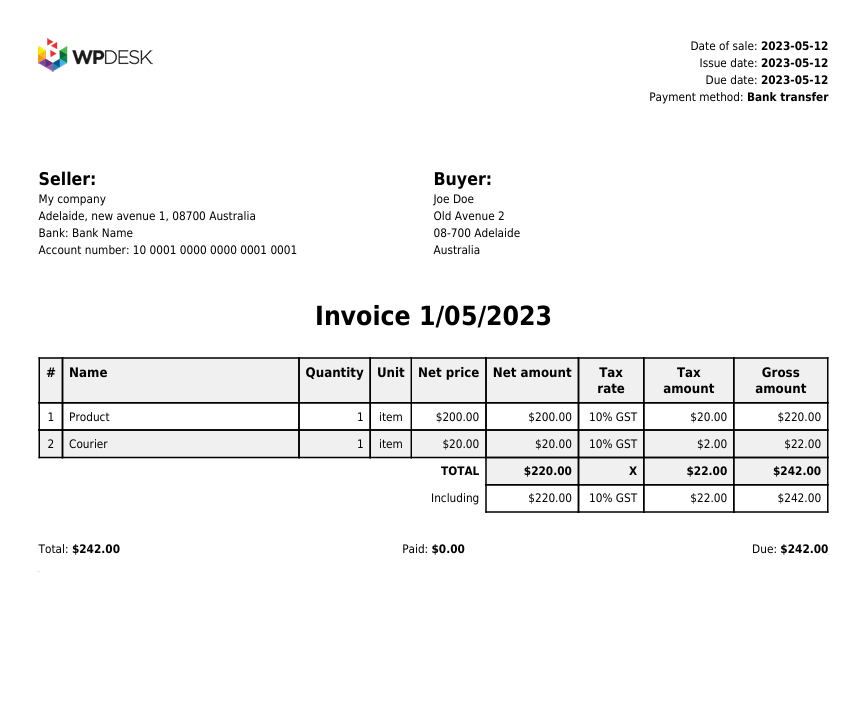
This article walks you through the main features of Flexible PDF Invoices for WooCommerce & WordPress — a free invoicing tool that makes billing in WordPress simple and automated.
Table of contents
- Free invoice plugin for WordPress
- How to generate PDF invoices in WordPress (quick guide)
- Free features of the WordPress invoice plugin
- FAQ
- Summary
Free invoice plugin for WordPress
Without a plugin, invoicing in WordPress isn’t possible. The CMS works modularly — to extend its functionality, you can install themes and plugins that add new options.
Flexible PDF Invoices for WooCommerce & WordPress is a free invoicing tool that lets you create invoices with or without VAT. After downloading and activating it from the Plugins menu, WordPress instantly gains complete billing capabilities.
The free version is available on the WordPress.org repository, so you can install it directly from your WordPress dashboard.
How to generate PDF invoices in WordPress (quick guide)
Follow these five quick steps to start generating PDF invoices in WordPress. You don’t need any coding skills — just install the plugin and adjust a few settings.
-
1. Install the free WordPress invoice plugin
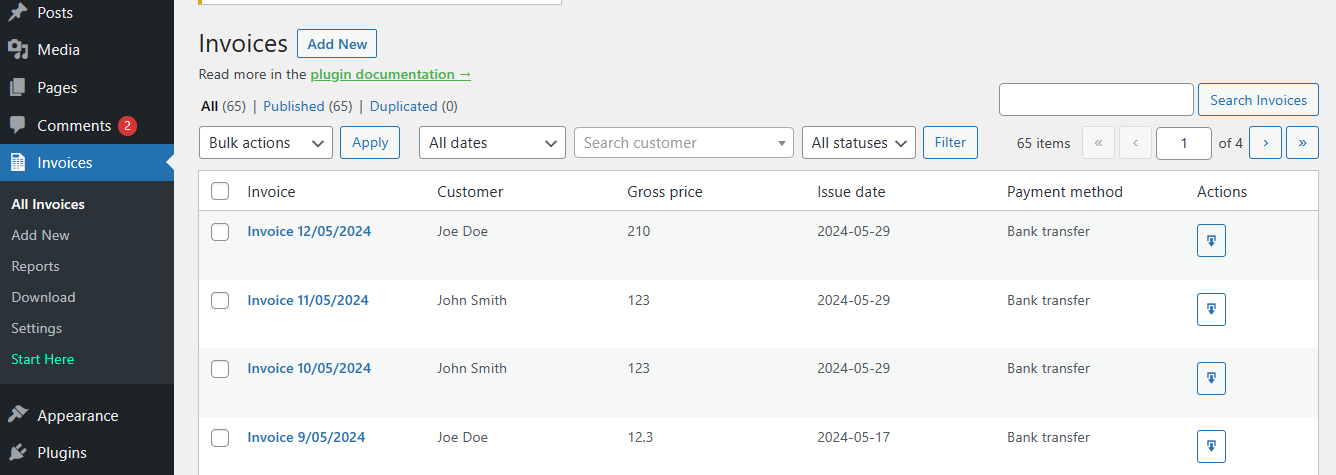
To begin, go to your WordPress admin panel, open Plugins → Add New, search for “Flexible Invoices,” and click Install Now. Then activate it.
 WP DeskLast Updated: 2026-08-19Works with WooCommerce 10.7 - 11.1
 -
2. Configure basic settings
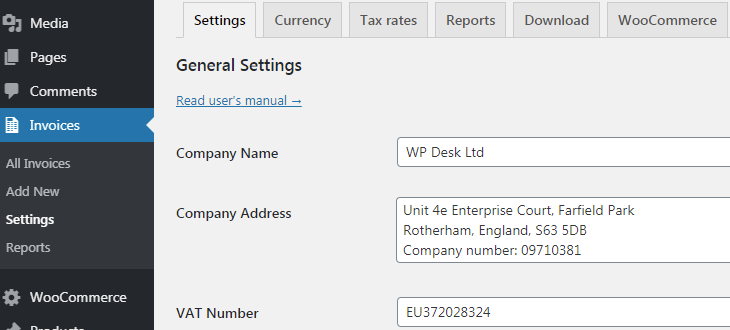
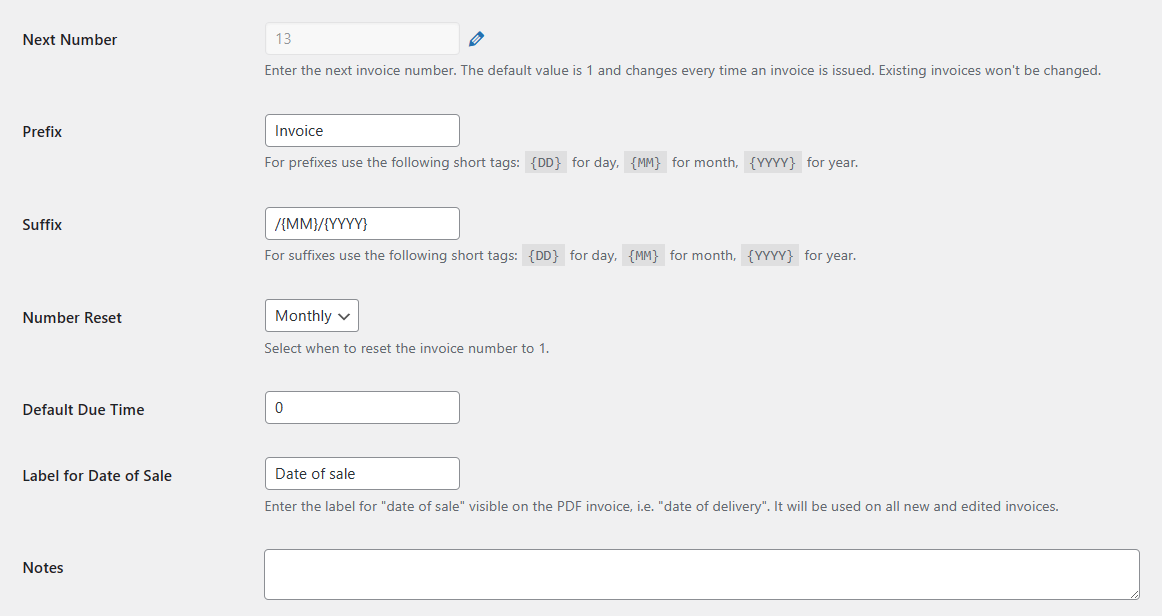
Next, go to the plugin settings and fill in your company details such as name, address, VAT number, and bank account. You can also define invoice prefixes, numbering format, or payment methods.
If you need proforma or correction invoices, these options are available in the PRO version.
-
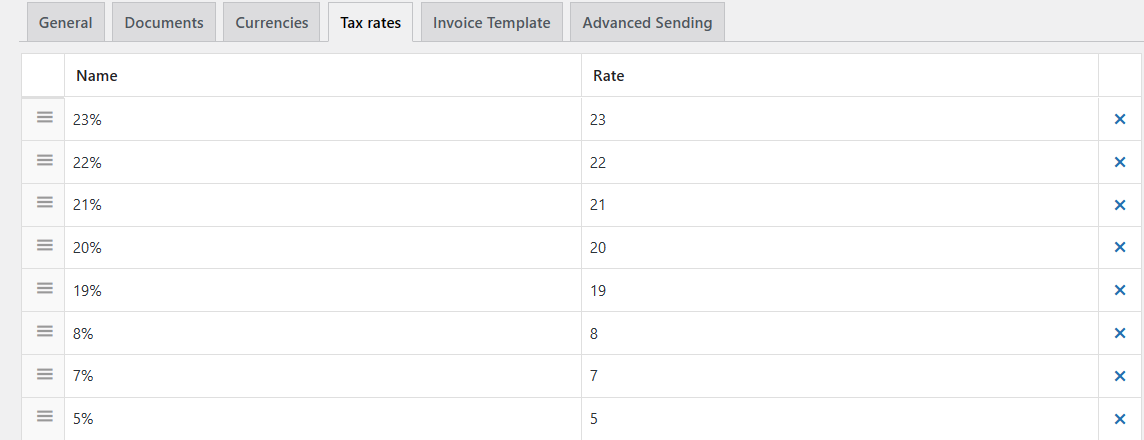
3. Set currencies and tax rates
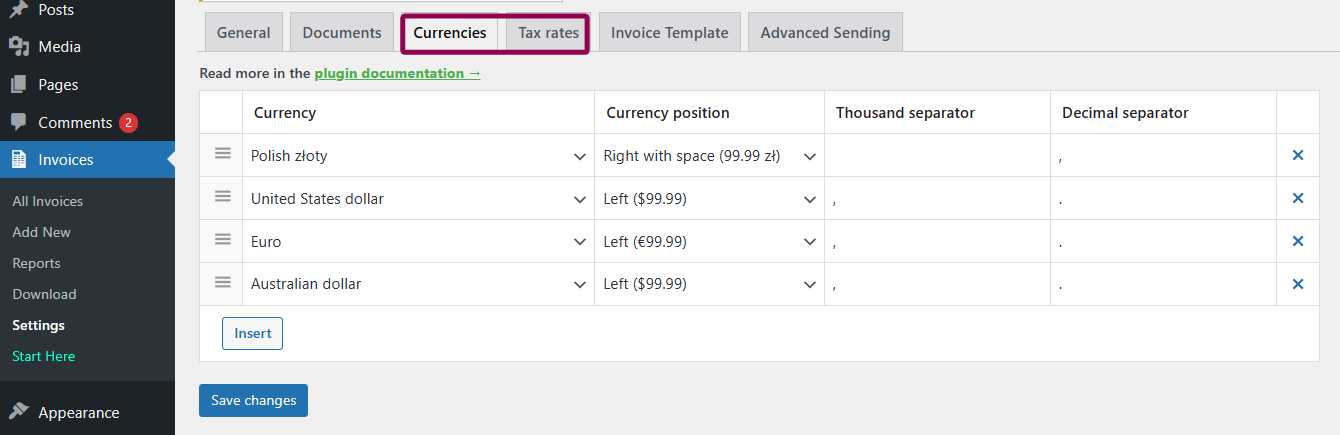
The plugin automatically uses WooCommerce currency and tax rates. However, if you use it standalone (without WooCommerce), you can define your own currencies and tax values manually.
 💡 When WooCommerce is enabled, additional options appear for shop orders and checkout forms.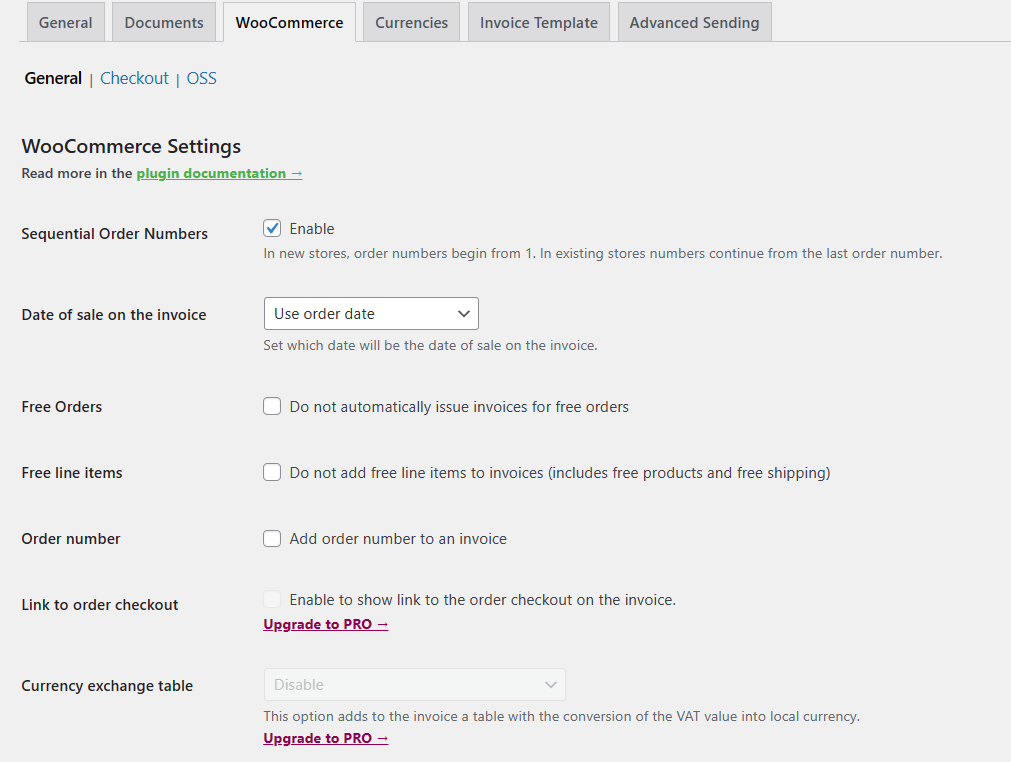
In short, you can issue invoices with or without VAT and customize tax rules per country or product type.
-
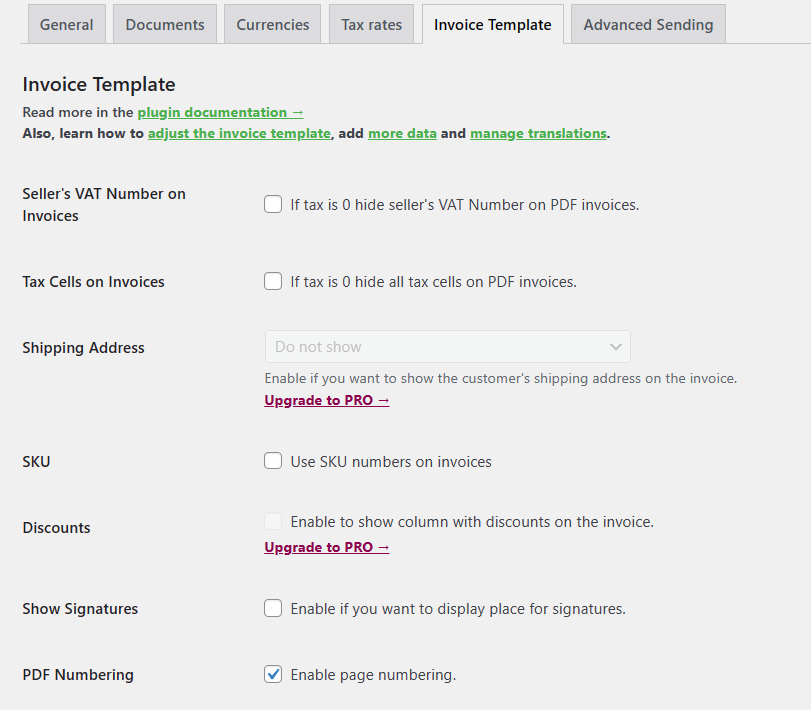
4. Customize your invoice template
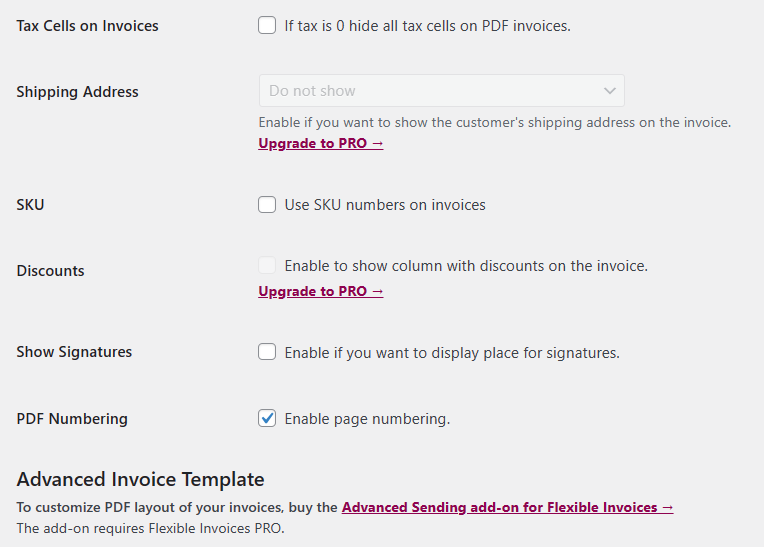
The plugin offers various layout settings. You can include or hide certain elements like logos, tax cells, or signatures, and adjust the visual style to match your brand.
-
5. Generate a PDF invoice
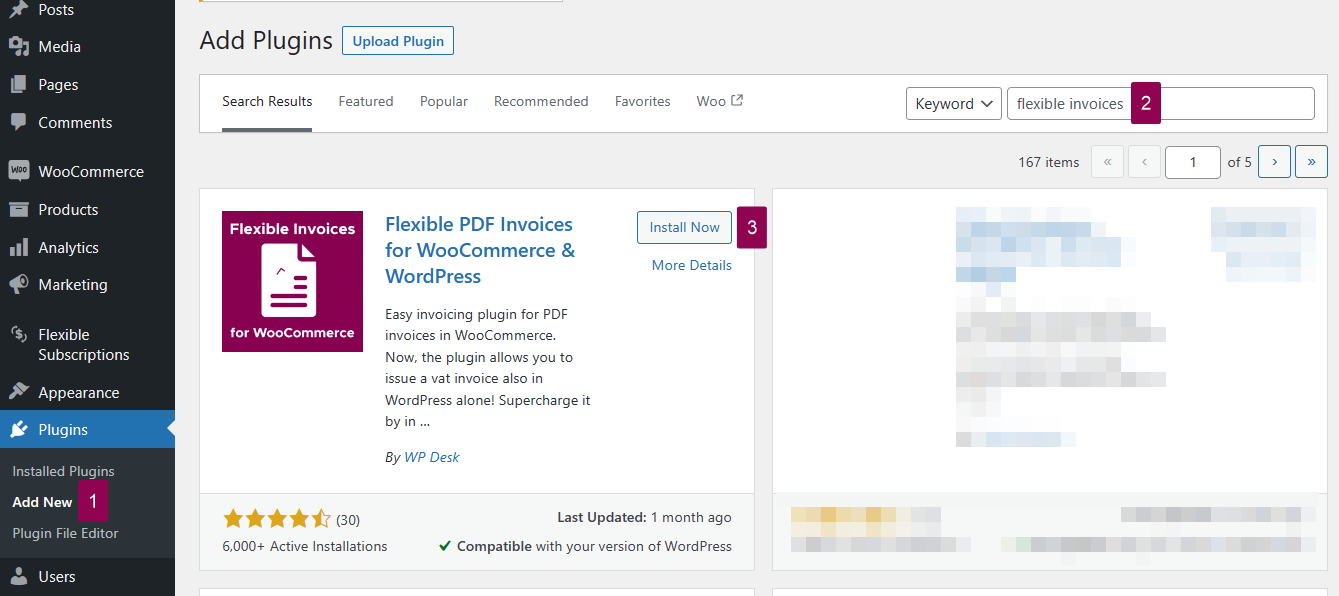
After configuration, you’re ready to issue your first invoice. Simply open the plugin’s menu, choose “Add New Invoice,” and fill in the required fields. The system will automatically generate a PDF document.
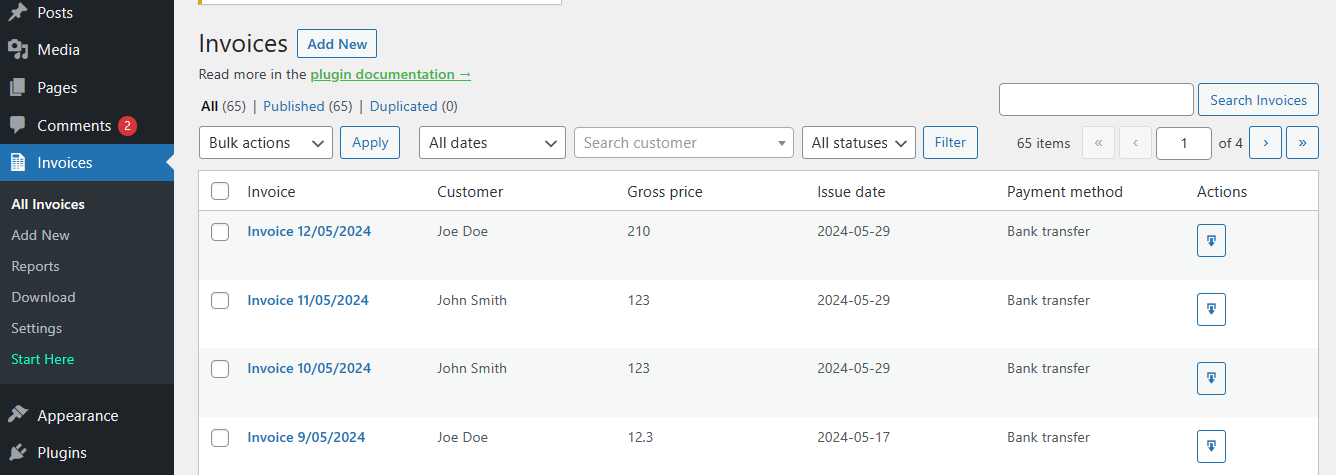
Here’s how the editing screen looks. You can preview and download invoices anytime.
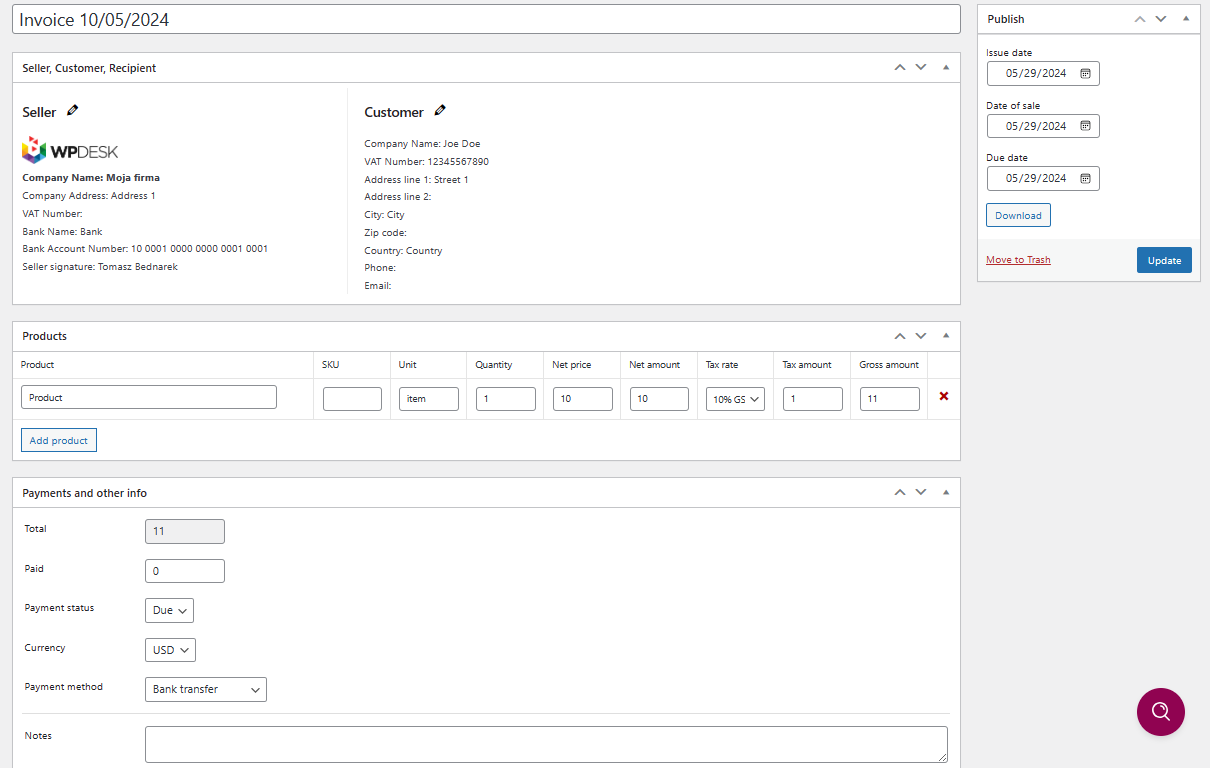
Additionally, the plugin offers invoice reports and export options, making it easy to manage all documents from one panel.
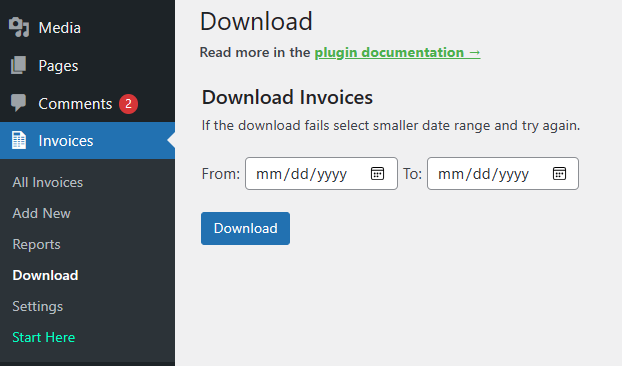 💡 Read more about downloads and reports in the plugin documentation.
Free features of the WordPress invoice plugin
Below you’ll find the list of features included in the free version of Flexible PDF Invoices for WooCommerce & WordPress. These are enough for most small businesses and freelancers.
Main plugin features
-
General settings
- Company name, address, and VAT number
- Bank account and payment methods
- Custom logo and document details
- User role permissions
-
Invoice options
- Custom prefixes and numbering
- Automatic number reset
- Due dates and labels
- Custom notes and footer text
-
Currencies and tax rates
Define currencies for manual invoices or use WooCommerce settings automatically.
-
WooCommerce integration
When WooCommerce is active, extra settings appear automatically for store orders and checkout forms.
💡 Learn more in the plugin documentation or read our guide on how to issue and download an invoice in WooCommerce. -
Invoice template customization
- Show seller’s VAT number
- Display tax breakdowns
- Add SKU and signatures
- Adjust PDF numbering format
Discounts and shipping details are available in the PRO version.
-
Advanced features and add-ons
Automation, advanced sending, and integration with external tools are available via PRO or add-ons.
FAQ – Frequently Asked Questions ❓
Is there a free WordPress invoice plugin?
Yes. Flexible PDF Invoices for WooCommerce & WordPress is completely free and supports VAT, currencies, and WooCommerce integration.
Can I create invoices without WooCommerce?
Absolutely. The plugin works in standalone WordPress mode — you can add invoices manually without any shop installed.
Does the plugin support VAT invoices?
Yes, it lets you issue invoices with or without VAT and define different tax rates per country.
Can I customize the invoice design?
Yes. You can modify the invoice template, add your logo, and adjust numbering or tax cells easily.
Is there a PRO version?
Yes, the PRO version includes advanced features like automatic invoice emails, proforma invoices, and integrations with other plugins.
Summary
As you can see, creating invoices in WordPress is simple when you use the right plugin. Flexible PDF Invoices helps you issue professional, VAT-compliant PDF invoices in just a few clicks.
Need more details? Visit the WordPress.org page or download the plugin below.
