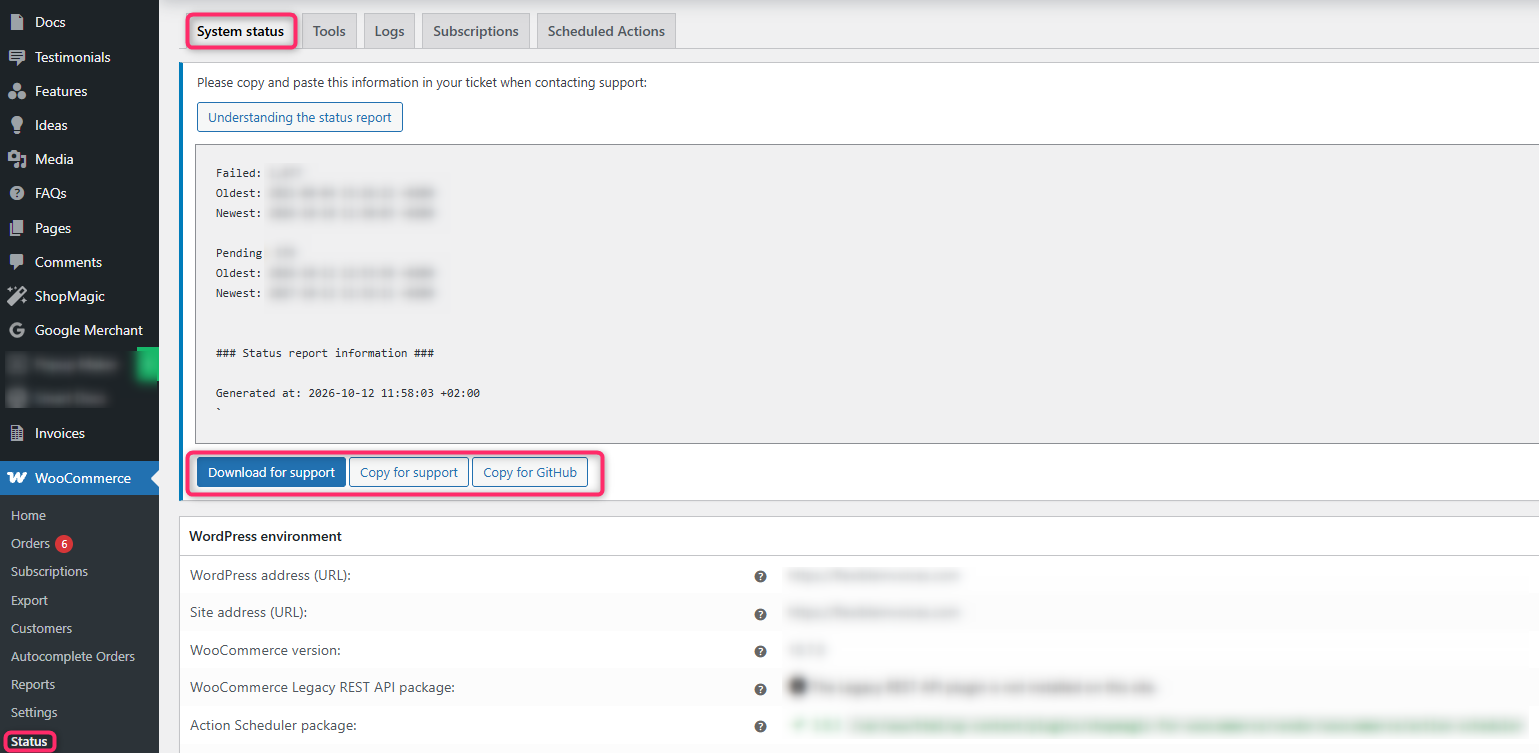


The WooCommerce system status contains the most important information about your WooCommerce store. There you can find details such as the WooCommerce and WordPress versions, PHP memory limit, list of installed plugins, and information about the active theme.
What is the WooCommerce system status needed for?#
The WooCommerce system status is a summary of relevant information about your store. It is important information to provide when contacting support. A developer can diagnose many sources of problems after reviewing the status report itself, for example the PHP version, plugin versions, or PHP memory limit. Therefore, it is important that you attach the system status report to your request.
How to get the system status?#
To get the WooCommerce system status, select the menu: WooCommerce → Status. Then click the Get system report button. You can then click Copy for support to copy the report and paste it into your support request, or use Download for support to download it as a file: