




Invoice numbering is the one setting in a store that an auditor will actually look at, and the one most people configure once, in the first week, without knowing what the options do. December is when that decision comes back, because every year end forces the same question: does the sequence carry on or start again?
How invoice numbering should be set up in WooCommerce
A sequence has to be continuous and it has to be unique. Those two requirements drive everything else, and they are easier to satisfy than most stores assume, provided the format is decided before the first invoice rather than after the hundredth.
A workable format carries three parts: a running number, a period marker and a separator you will not want to change. Something like 2026/11/0042 gives the year, the month and the position, and it sorts correctly in any spreadsheet. Formats with the number first stop sorting as soon as the year turns.
The decision that matters now is the reset. Numbering can run continuously across years or restart at one each January with the year in the prefix. Both are acceptable in most jurisdictions, and the reset is more common because it keeps numbers short and makes a year’s documents obvious. What is not acceptable is changing approach halfway through a year, which produces either a duplicate or an unexplainable jump.
Decide in December, apply on 1 January, and write the decision down somewhere other than the plugin settings.
Where gaps come from
A gap is a missing number in an otherwise continuous run, and it is not automatically a problem. It becomes one when nobody can say why it is there.
Most come from four places. An order cancelled after the invoice was issued. A payment that failed after the document was generated. A test order placed and deleted. Or an invoice removed instead of corrected after a full refund.
Only the last is a mistake in itself. An issued invoice is a record, and the answer to a wrong record is a correction document, not a deletion. The other three are ordinary business, defensible as long as the reason is recorded.
How to avoid most of them
Issue the invoice at payment rather than at order creation. That single change removes the two commonest causes at once, because an order that is cancelled or fails before payment never reaches the point where a number is assigned.
Use a separate sequence for correction documents and for proformas. Mixing them into the invoice sequence creates gaps that look like missing invoices but are not, which is the worst kind of gap to have to explain.
Then export the invoice list sorted by number once a quarter. Five minutes, and it surfaces drift before the year end makes it someone else’s problem.
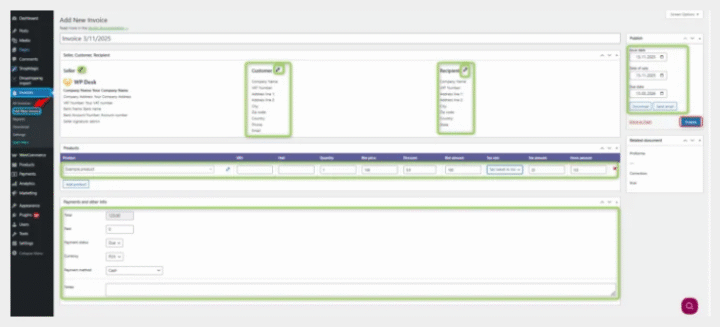
Numbering is one of the settings worth getting right before the volume arrives rather than after. Flexible Invoices lets you define the number format, choose the order status that triggers issue, and keep separate sequences for invoices, proformas and corrections.
Summary
Invoice numbering has to be continuous and unique, and the format should be settled before the first document is issued. A running number, a period marker and a fixed separator, written year first, sorts correctly and stays readable; a format starting with the number stops sorting when the year changes.
The annual decision is whether to reset. Running continuously across years and restarting at one each January are both normally acceptable, with the reset more common because it keeps numbers short and makes a year’s documents obvious. Changing approach mid-year is the one option to avoid, since it produces either a duplicate or an unexplainable jump.
Gaps are not automatically a fault. They become one when the reason is unknown. Four causes account for most of them: an order cancelled after issue, a payment that failed after the document was generated, a deleted test order, and an invoice removed instead of corrected after a full refund. Only the last is a mistake in itself, because an issued invoice is a record and the response to a wrong record is a correction document.
Three habits prevent most of it: issue at payment rather than at order creation, keep separate sequences for corrections and proformas, and export the invoice list sorted by number once a quarter.
Frequently asked questions
These four come up whenever a store looks at its numbering for the first time.
Can I change the number format mid-year?
Technically yes, and it is worth avoiding. A format change part-way through a sequence is the kind of thing that has to be explained later, and the explanation is rarely to hand when it is needed.
Is a gap in the numbering illegal?
Not in itself in most jurisdictions, but you have to be able to account for it. Keep a note of why each gap exists rather than reconstructing it from order history a year later.
Should proformas use the invoice sequence?
No. A proforma is not an accounting document, so giving it an invoice number creates a gap in the real sequence when it is never converted.
What happens to numbering when I start issuing structured e-invoices?
Nothing. The number is part of the invoice data, so the structured file carries the same one as the PDF.
