



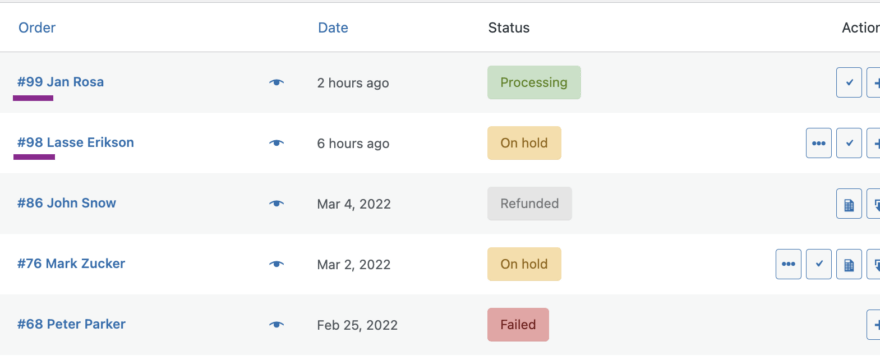

If you want to know how to set up in WooCommerce sequential order numbers, then you have come to the right place. This post is just about that! 🙂 You can also find here how to pair order numbering with the WooCommerce invoice number.
Go to the paragraph that interests you most:
- About WooCommerce order numbers.
- WooCommerce sequential numbers.
- WooCommerce sequential invoice numbers.
About WooCommerce Order Number
As you probably know, by default, order numbering in WooCommerce is random. The authors of WooCommerce have not given us the option to set up order numbering. And that’s fine! This is not crucial, and we don’t have to overload the plugin with settings that stores don’t need.
However, I’ve noticed that for many stores the change of the way of numbering the orders is helpful for reasons related to store administration, sales reports, and invoicing. And mostly the sufficient scenario is very simple and consists in being able to set up WooCommerce order numbers in sequential.
WooCommerce sequential numbers
This setting allows the store administrators to quickly verify the number of orders in WooCommerce. But also easily link the WooCommerce order number with the invoice sequential number. Luckily, achieving this is really simple. All it takes is one free plugin – Flexible PDF Invoices for WooCommerce & WordPress.
After installing and activating the plugin, go to Invoices → Settings → WooCommerce and enable the option Sequential Order Numbers. That’s it!
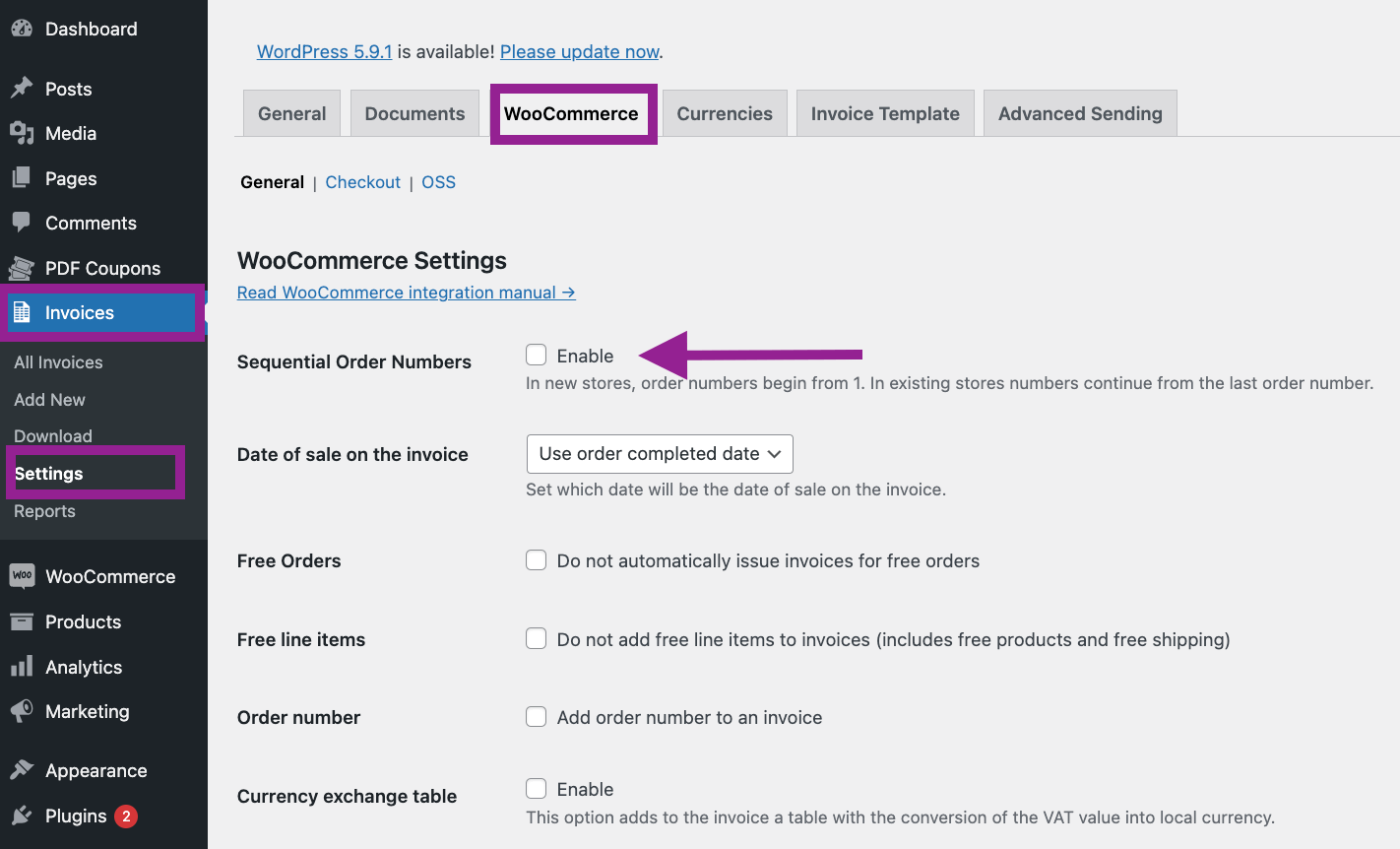
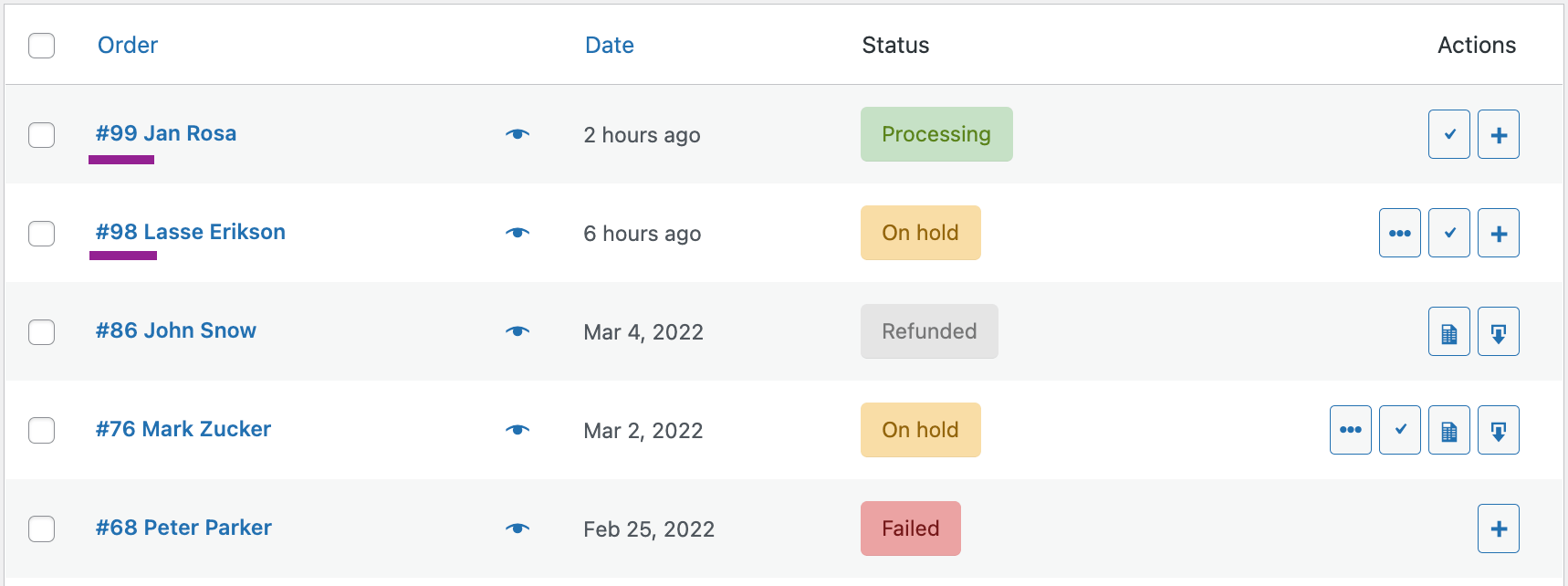
From this point forward, your orders will get sequential numbering. But beware. The first WooCommerce order number will not start from 1, but the last order number from your store. So if in WooCommerce the last order number is 98, the first, after enabling the option, will be 99, as in the example below.
WooCommerce Sequential Invoice Numbers
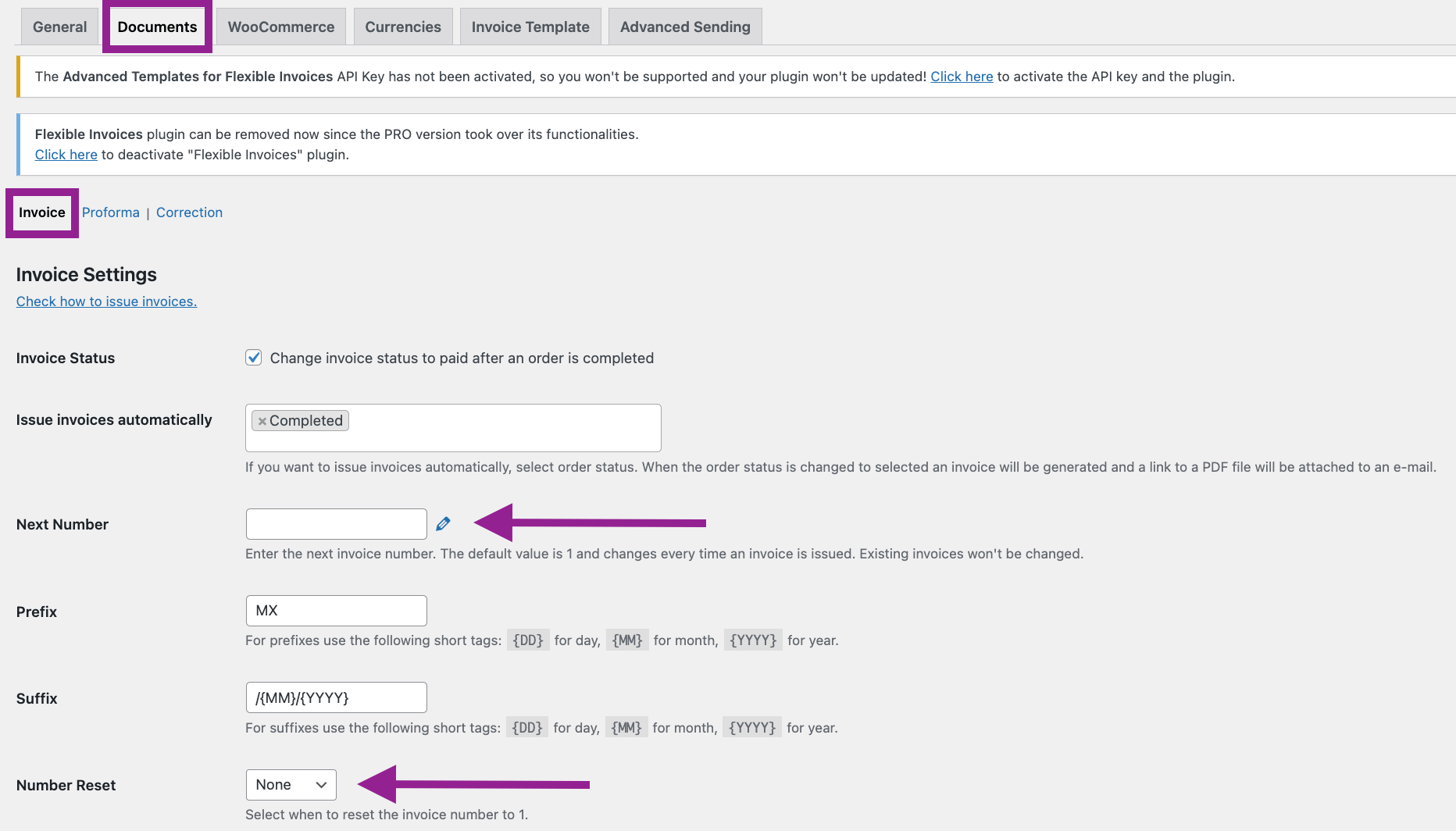
And as I mentioned before. By using the Flexible Invoices plugin, you can pair WooCommerce order numbers with the invoice number. This way, it can be easier for you to manage sales in your store.
If the next order number is 99, set the next invoice number to 99. Also, disable the invoice numbering reset option so that WooCommerce sequential numbering will not reset. You can do this by changing the document numbering in the plugin settings:
WooCommerce Order Number – Conclusion
Sequential order numbers in WooCommerce are possible and very easy to implement. They can also be combined with the WooCommerce invoice number. You will get better order and management in your store.
If you want to see how the sequential number feature will work in your store, install the free Flexible Invoices for WooCommerce plugin.
I also encourage you to try the PRO version of the plugin in your free demo. Read about our WooCommerce Invoice plugin & benefit from automated invoicing, support for three document types, and more.
Sequential Order and Invoices numbers
With Flexible Invoices PRO
Test free for 30 days → or View Details