




A store that issues two hundred invoices in a normal month can issue that many in two days of Black Week. Nothing in the invoicing setup is designed around that, which is why the problems surface in December rather than in November.
What actually breaks when volume multiplies
Not the generation. Issuing a thousand PDFs is a server job and it finishes. What breaks is everything around it.
Sending. Invoice emails join the same queue as order confirmations, shipping notices and marketing. At peak that queue backs up, and the invoice is the message nobody notices is missing until a customer asks.
Numbering. Gaps appear when orders are cancelled, refunded or fail after an invoice was issued. A sequence with holes in it is a conversation with your accountant that you would rather not have in January.
The handover to accounting. Sending a month of documents by hand is tedious. Sending a Black Week of them is a job nobody does on time, and it delays the close.
Corrections. Returns from Black Friday arrive in January, each one needing a correction document. The volume of those is proportional to the peak you just had.
What to settle before the peak, not during it
Three decisions, all of which take minutes now and hours later.
Decide at which order status the invoice is issued. Issuing on payment rather than on order creation removes most of the cancelled-order gaps by itself.
Decide whether invoices go out automatically or in batches. Automatic is less work; batched gives you a checkpoint if something goes wrong.
Decide how and when documents reach your accountant, and set it up as a schedule rather than an intention.
The test worth running in November
Place ten orders on your own store in quick succession, in different scenarios: a domestic consumer order, a cross-border business order, one that you then cancel, and one you refund.
Then check the numbering sequence and the invoice inbox. Ten orders will show you the same defects a thousand would, three weeks earlier and without any customers involved.
What not to change in late November
Your numbering format and your template. Both are the kind of change that looks safe and produces a document you have not actually looked at, in the week when nobody has time to look at documents.
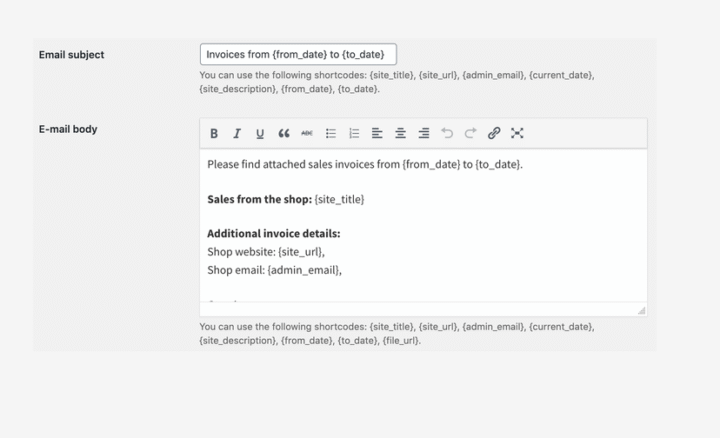
The handover to accounting is the part that scales worst by hand. Advanced Sending for Flexible Invoices sends documents and reports on a daily, weekly or monthly schedule, so a peak week does not turn into a manual export in January.
Summary
Peak season does not break invoice generation, which is just a server job. It breaks everything around generation.
Sending suffers first, because invoice emails share a queue with order confirmations, shipping notices and marketing, and a backed-up queue hides the one message nobody misses until a customer asks. Numbering suffers next: cancellations, refunds and failed payments after issue leave gaps in the sequence. The handover to accounting stops happening, because a peak week of documents is more than anyone exports by hand on time. And corrections arrive in January in proportion to the peak, each return needing its own document.
Three decisions taken before the peak prevent most of this. Choose the order status at which invoices are issued, since issuing on payment rather than on order creation removes most cancellation gaps. Choose between automatic and batched sending, trading less work against having a checkpoint. And put the delivery of documents to your accountant on a schedule rather than leaving it as an intention.
Test with ten orders in November across four scenarios: a domestic consumer order, a cross-border business order, one cancelled and one refunded. Then inspect the numbering sequence and the invoice inbox. Ten orders surface the same defects a thousand would, three weeks earlier.
Two things should not change in late November: the numbering format and the template. Both look like safe edits and both produce documents nobody has time to check that week.
Frequently asked questions
These four come up when a store looks at its invoicing before a peak for the first time.
Should invoices be issued automatically during Black Week?
For most stores yes, because the manual alternative does not survive the volume. Set the trigger to payment rather than order creation.
What do I do about gaps in the numbering?
Gaps caused by cancelled orders are usually explainable, but they have to be explainable. Keeping a record of why each gap exists is easier than reconstructing it later.
Can I send a whole period of invoices to my accountant at once?
Yes, and it is better done on a schedule than as a monthly task someone remembers.
When should the January corrections be prepared for?
Before they arrive. The return window from Black Friday purchases closes in January, so the workload is predictable even though its size is not.
