




Before your country’s mandate applies to you, five things decide whether the switch is quiet or painful: knowing your deadline, collecting buyer VAT numbers, cleaning up tax configuration, choosing how invoices leave your store, and testing with real orders. This checklist walks through each one, in the order that saves the most rework.
1. Confirm your deadline
Find the date that applies to your business, not to your country in general. Germany and France phase obligations by company size, Poland has an exception for the smallest sellers until the end of 2026, and Belgium applied the rule to everyone at once.
- Country of establishment identified
- Phase and date confirmed with your accountant
- Receiving obligation checked separately from issuing
2. Fix the data at checkout
Structured invoices are rejected for missing data more often than for anything else.
-
- VAT number field present for business customers
- VAT numbers validated, not just collected
- Company name, street, postal code, city and country in separate fields
- B2B orders distinguishable from B2C orders in the order list
3. Clean up tax configuration
- Every tax rate mapped to a category
- Exempt sales carry a reason
- Reverse charge configured and tested on a real EU order
- Shipping tax behaves correctly in mixed-rate orders
- Rounding checked on an order with several lines
4. Decide how invoices leave the store
- Invoice created in one place only, plugin or accounting system, never both
- Channel chosen: national platform, Peppol access point or accredited provider
- Identifiers registered, for example a Peppol participant ID or a national number
- Responsibility agreed: who fixes a rejected invoice, and how fast
5. Numbering and corrections
- Sequential numbering with no gaps
- Separate series for corrections, defined in advance
- Corrections issued through the same channel as invoices
- Archive plan for structured files, not only PDFs
6. Test before the deadline
Run these five orders in a staging store, then repeat the important ones in production during a quiet hour.
- Domestic B2B order with a valid VAT number
- Domestic B2B order with an invalid VAT number, to see the error handling
- Order with mixed tax rates
- Full refund with a correction document
- Partial refund with a correction document
7. After go-live
- Someone checks rejected invoices at least daily in the first month
- Your accountant confirms the first ten invoices look right on their side
- Templates adjusted after real customer feedback, not before
Where Flexible Invoices fits
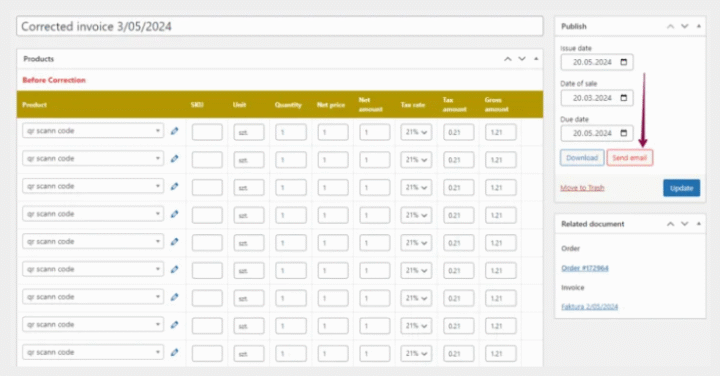
Flexible Invoices covers steps 2, 3 and 5: it issues invoices, proformas and corrections from WooCommerce orders, validates EU VAT numbers in VIES, handles reverse charge and OSS and keeps numbering sequential. For step 4, the PEPPOL for Flexible Invoices PRO add-on generates UBL (XML) invoices in the Peppol standard, and an access point or national platform carries them from there.
Start with the free version to see how invoicing fits your store. PRO costs EUR 59 a year for one site, and the All Plugins Bundle EUR 99 a year for 25 sites with every add-on included.
Work through this list with the right tools. Flexible Invoices PRO covers the invoicing side, the PEPPOL add-on covers structured output, and the All Plugins Bundle covers both plus every other add-on on up to 25 sites.
FAQ
- How long does this take for a small store? The data work is usually a day. Choosing a provider and testing takes longer, mostly because of waiting.
- Can I do this after the deadline? You can, but invoices issued in the wrong form may be rejected by customers or challenged later. Earlier is cheaper.
- Do I need a staging site? It helps a lot, especially for testing corrections. If you do not have one, test in production during your quietest hours.
- What if I sell only to consumers? None of the B2B mandates apply, but steps 2, 3 and 5 still improve your invoicing.
- Who is responsible if an invoice is rejected? You are, as the seller. Agree internally who monitors it before go-live.
